photogrammetry SaaS platform
0 → 1 Product & UI/UX Design at Primage

See the Product
0→1 Product & UX Design for a 3D Reconstruction SaaS Platform: From research to responsive web app, 3D viewer, and website.
0→1 Product & UX Design for a 3D Reconstruction SaaS Platform: From research to responsive web app, 3D viewer, and website.
About
Preimage is a photogrammetry SaaS platform that transforms 2D images into measurable 3D digital twins for professionals in construction, GIS, surveying, and digital modeling.
I joined Preimage as the sole designer to lead product and UI/UX design from the ground up. My role spanned everything from user research and flows to interface design, usability testing, design system development, and the creation of the public-facing website.
Preimage is a photogrammetry SaaS platform that transforms 2D images into measurable 3D digital twins for professionals in construction, GIS, surveying, and digital modeling.
I joined Preimage as the sole designer to lead product and UI/UX design from the ground up. My role spanned everything from user research and flows to interface design, usability testing, design system development, and the creation of the public-facing website.
Goal
Create a highly usable, scalable platform to support workflows that are:
Technically complex (3D processing, point clouds, annotations)
Unfamiliar to first-time users, but essential for expert teams
Collaborative - enable users to create, manage, and analyze 3D projects seamlessly
Create a highly usable, scalable platform to support workflows that are:
Technically complex (3D processing, point clouds, annotations)
Unfamiliar to first-time users, but essential for expert teams
Collaborative - enable users to create, manage, and analyze 3D projects seamlessly
Outcome
Delivered a fully functional MVP:
Responsive web app for creating and managing photogrammetry projects
In-browser Viewer with annotation and measurement tools
Public-facing marketing website
Enabled onboarding of early clients and positioned Preimage for long-term growth.
Delivered a fully functional MVP:
Responsive web app for creating and managing photogrammetry projects
In-browser Viewer with annotation and measurement tools
Public-facing marketing website
Enabled onboarding of early clients and positioned Preimage for long-term growth.
process
Things didn’t move in a perfect line. Look at the section below to see how the process actually looked:
Things didn’t move in a perfect line. Look at the section below to see how the process actually looked:
How qualitative interviews, quantitative validation, and rapid experimentation shaped Giftbee's recipient experience.
User Interviews ⟷ Competitor Research ⟷ Founder Chats
⭣
Define User Flows ⟷ Sketch Flows ⟷ Discard Them
⭣
Wireframes ⟷ Developer Feedback ⟷ Rewire Everything
⭣
Design the Viewer → Test It → Redesign the Viewer
⭣
Marketing Site Discussions → Brand Alignment → Back to Flows
⭣
Design System → Too Early → Pause → Finish MVP → Resume
⭣
User Testing → Design Fixes → Final Handoff
Working MVP & Early Onboarding
Working MVP & Early Onboarding
Working MVP & Early Onboarding
What I designed
Preimage Web App
Preimage Web App
Workspaces: Create personal or team areas to keep your work in one place.
Project Management: Easily start new projects and access everything across your team.
Simple Sharing: Invite others or share links to get people into projects quickly.
Project Summaries: Get a quick overview of your project status at a glance.
Credit System: Buy credits whenever you need to start more projects.
Workspaces: Create personal or team areas to keep your work in one place.
Project Management: Easily start new projects and access everything across your team.
Simple Sharing: Invite others or share links to get people into projects quickly.
Project Summaries: Get a quick overview of your project status at a glance.
Credit System: Buy credits whenever you need to start more projects.
Preimage Viewer
Preimage Viewer
High-Fidelity Outputs: Interactive exploration of Point Clouds and Raster data.
Precision Toolkit: Professional-grade annotation, measurement, and elevation profiling.
Comparative Analysis: Look at different project outputs side-by-side to see any changes.
Performance Architecture: Engineered for speed and visual clarity across complex datasets.
High-Fidelity Outputs: Interactive exploration of Point Clouds and Raster data.
Precision Toolkit: Professional-grade annotation, measurement, and elevation profiling.
Comparative Analysis: Look at different project outputs side-by-side to see any changes.
Performance Architecture: Engineered for speed and visual clarity across complex datasets.
High-Fidelity Outputs: Interactive exploration of Point Clouds and Raster data.
Precision Toolkit: Professional-grade annotation, measurement, and elevation profiling.
Comparative Analysis: Look at different project outputs side-by-side to see any changes.
Performance Architecture: Engineered for speed and visual clarity across complex datasets.
Transformed a technical, data-heavy domain into an intuitive experience that prioritizes user confidence over cognitive load.
Empowered the business to pitch with authority, facilitating early client onboarding.
Transformed a technical, data-heavy domain into an intuitive experience that prioritizes user confidence over cognitive load.
Empowered the business to pitch with authority, facilitating early client onboarding.
How did we get there?
How did we get there?
How did we get there?
Research & Discovery
Research & Discovery
Research & Discovery
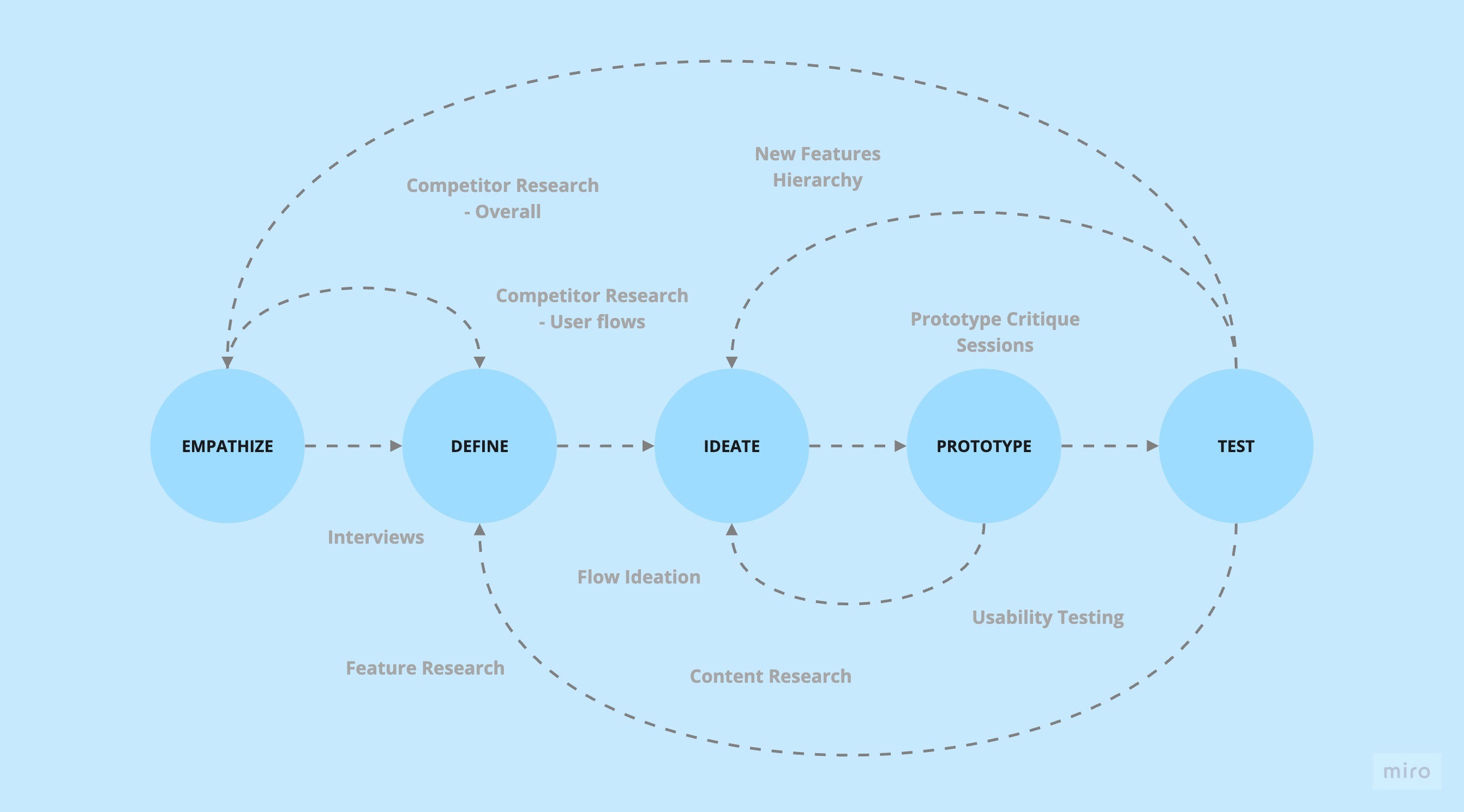
We conducted interviews with users in construction, GIS, and digital surveying. Analyzed and mapped workflows of similar tools and competitor platforms to identify usability gaps.
We conducted interviews with users in construction, GIS, and digital surveying. Analyzed and mapped workflows of similar tools and competitor platforms to identify usability gaps.
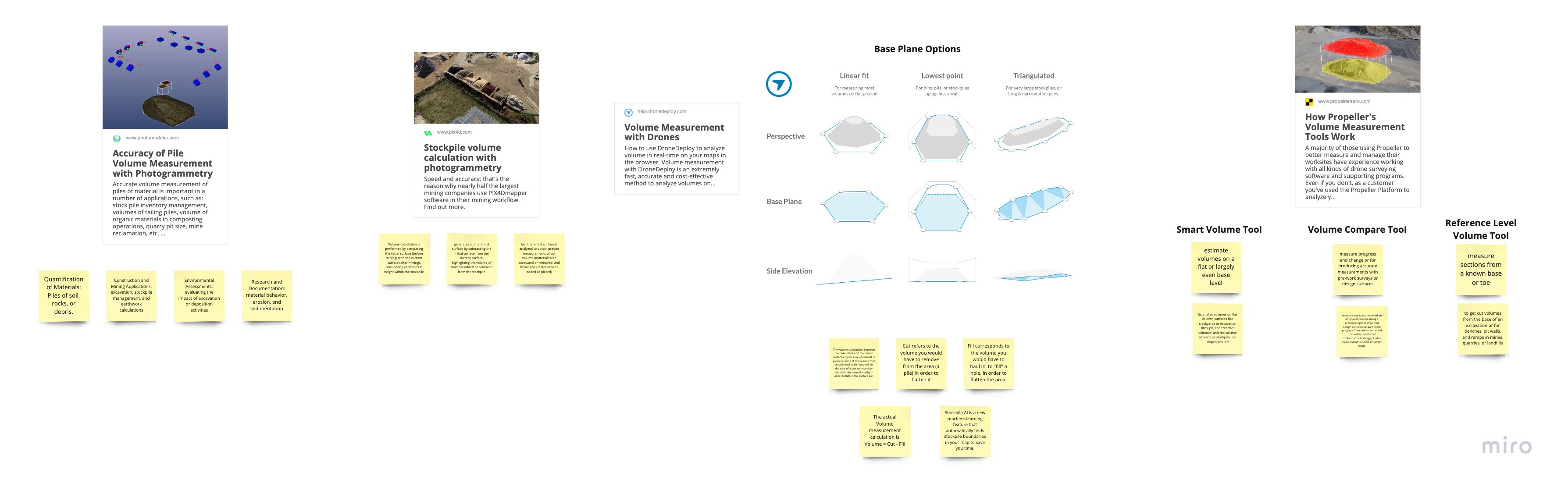
Comparison of performance of 5 competitors based on various parameters.
Comparison of performance of 5 competitors based on various parameters.
Comparison of performance of 5 competitors based on various parameters.
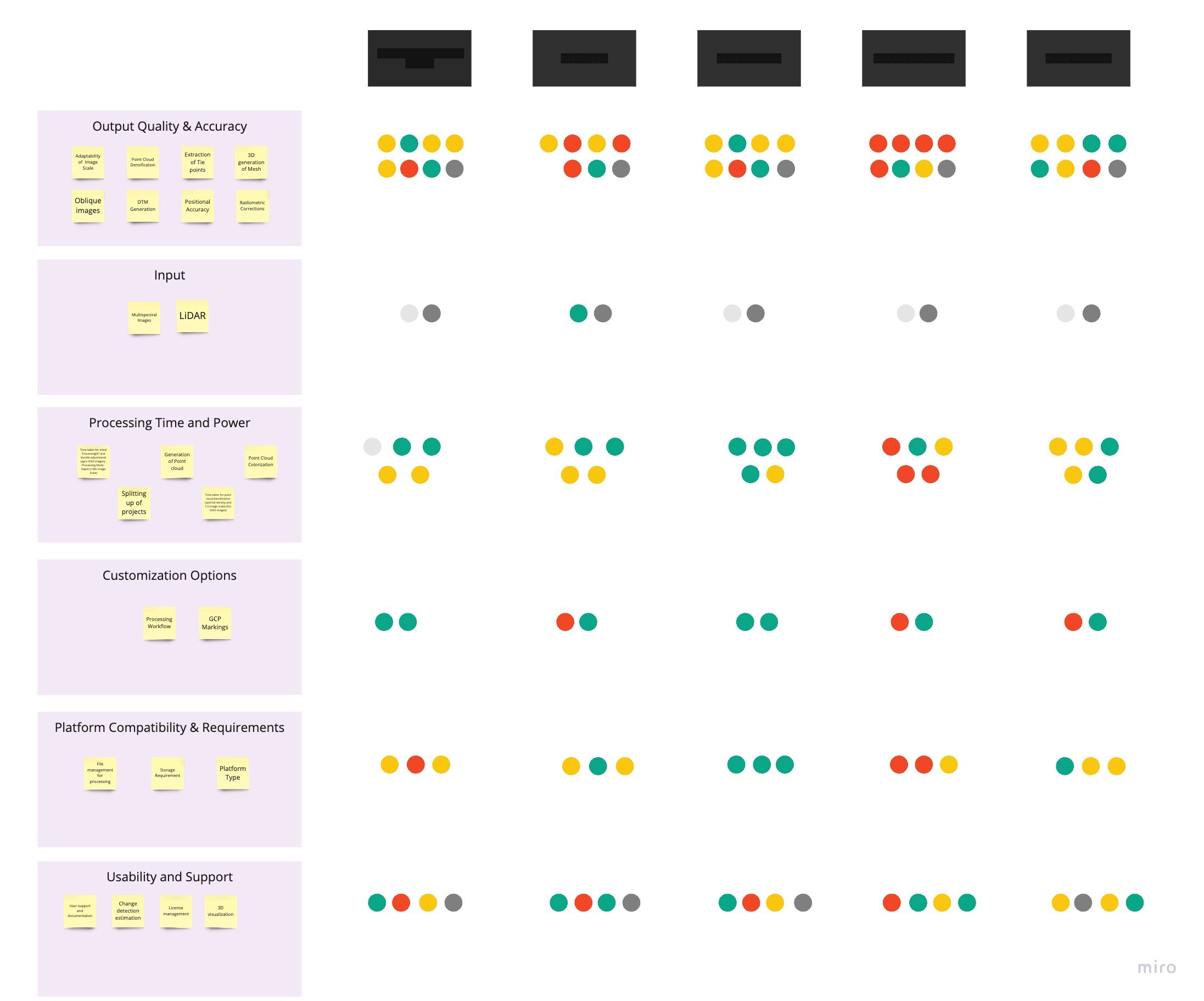
Project Creation Flow in Other Platforms
Project Creation Flow in Other Platforms
Project Creation Flow in Other Platforms
A study of new project creation flow in 4 competitor platforms which starts from project creation and input upload and ends with processed outputs.
A study of new project creation flow in 4 competitor platforms which starts from project creation and input upload and ends with processed outputs.
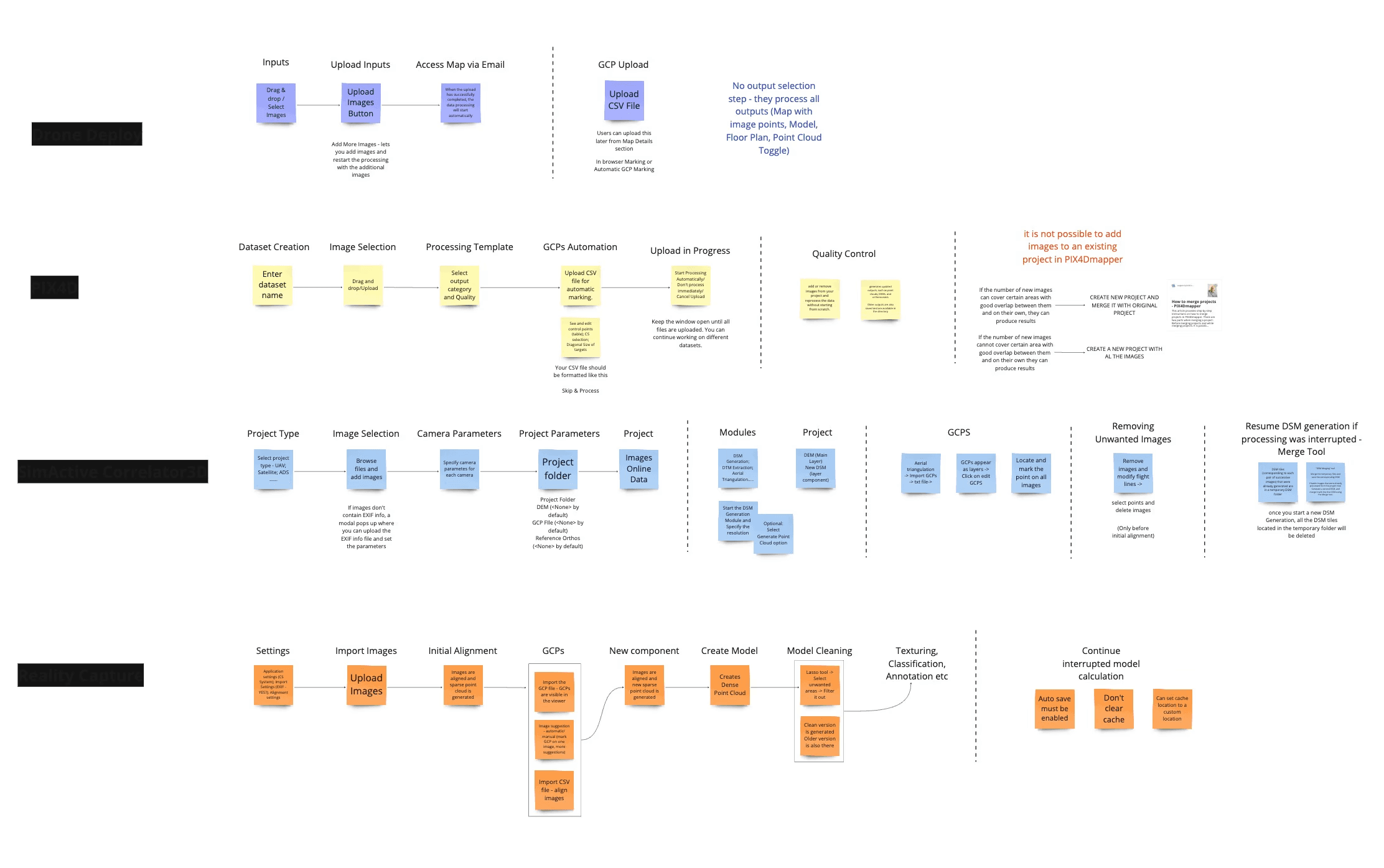
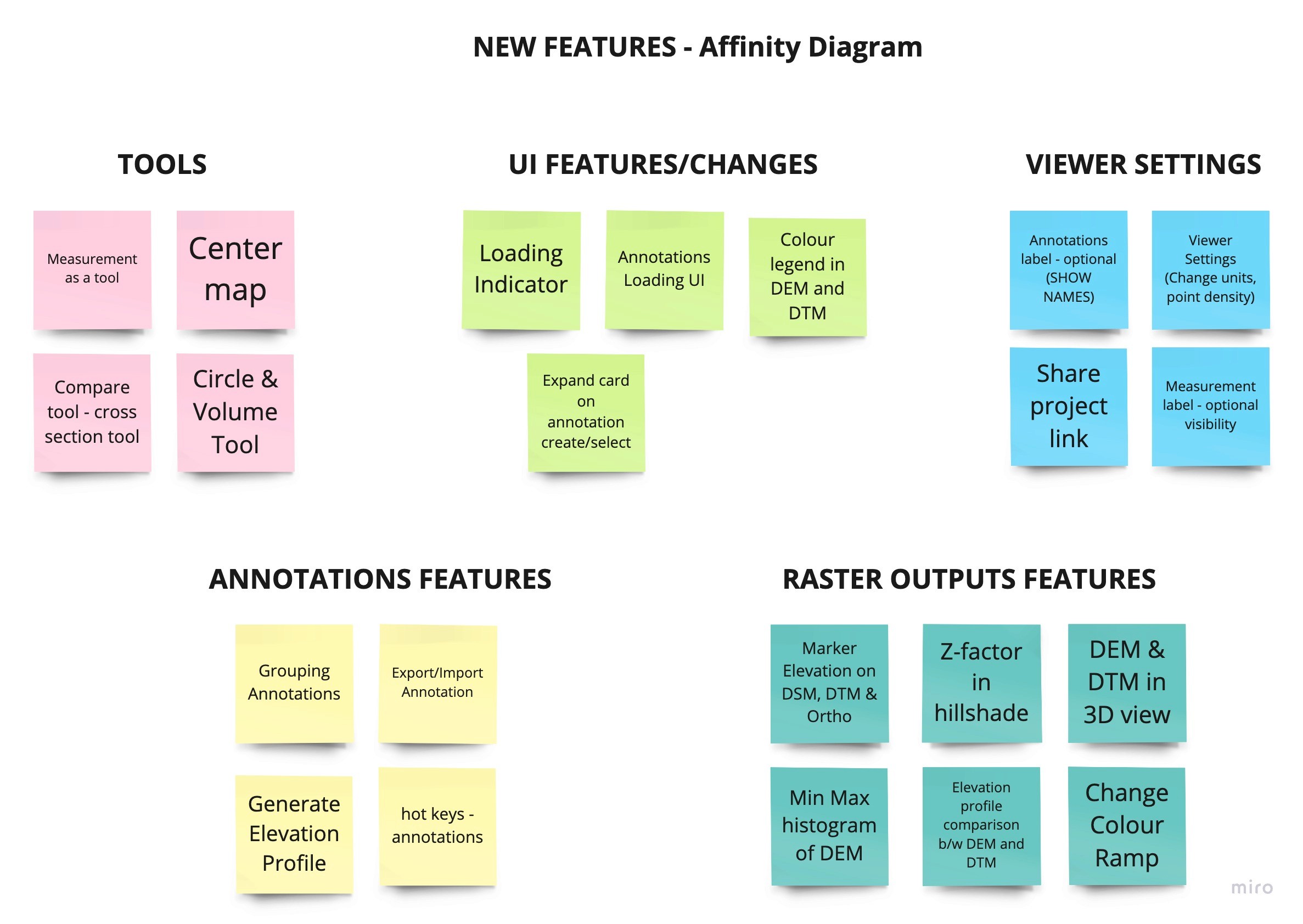
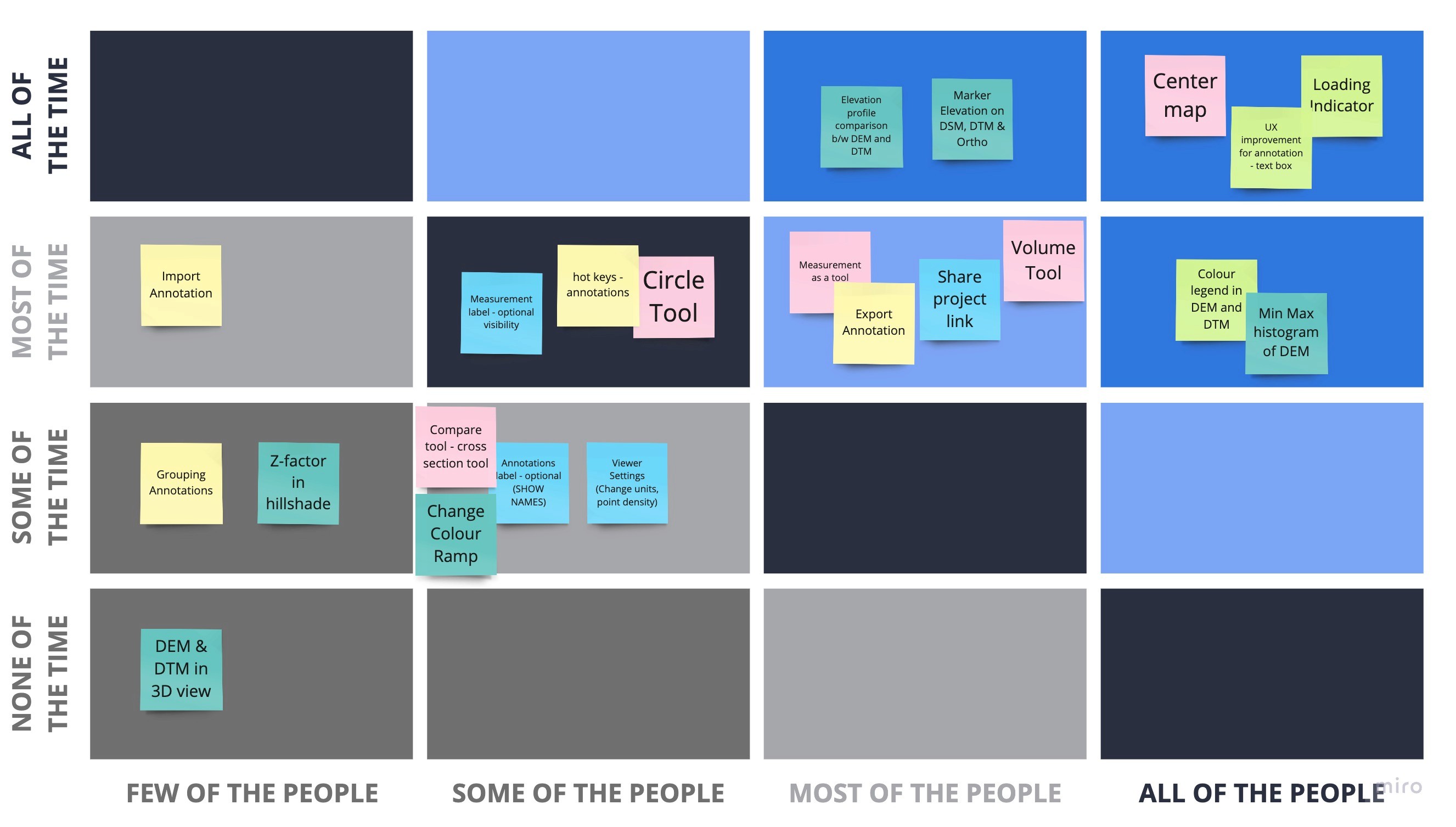
Feature Ideation & Prioritisation
Feature Ideation & Prioritisation
Feature Ideation & Prioritisation
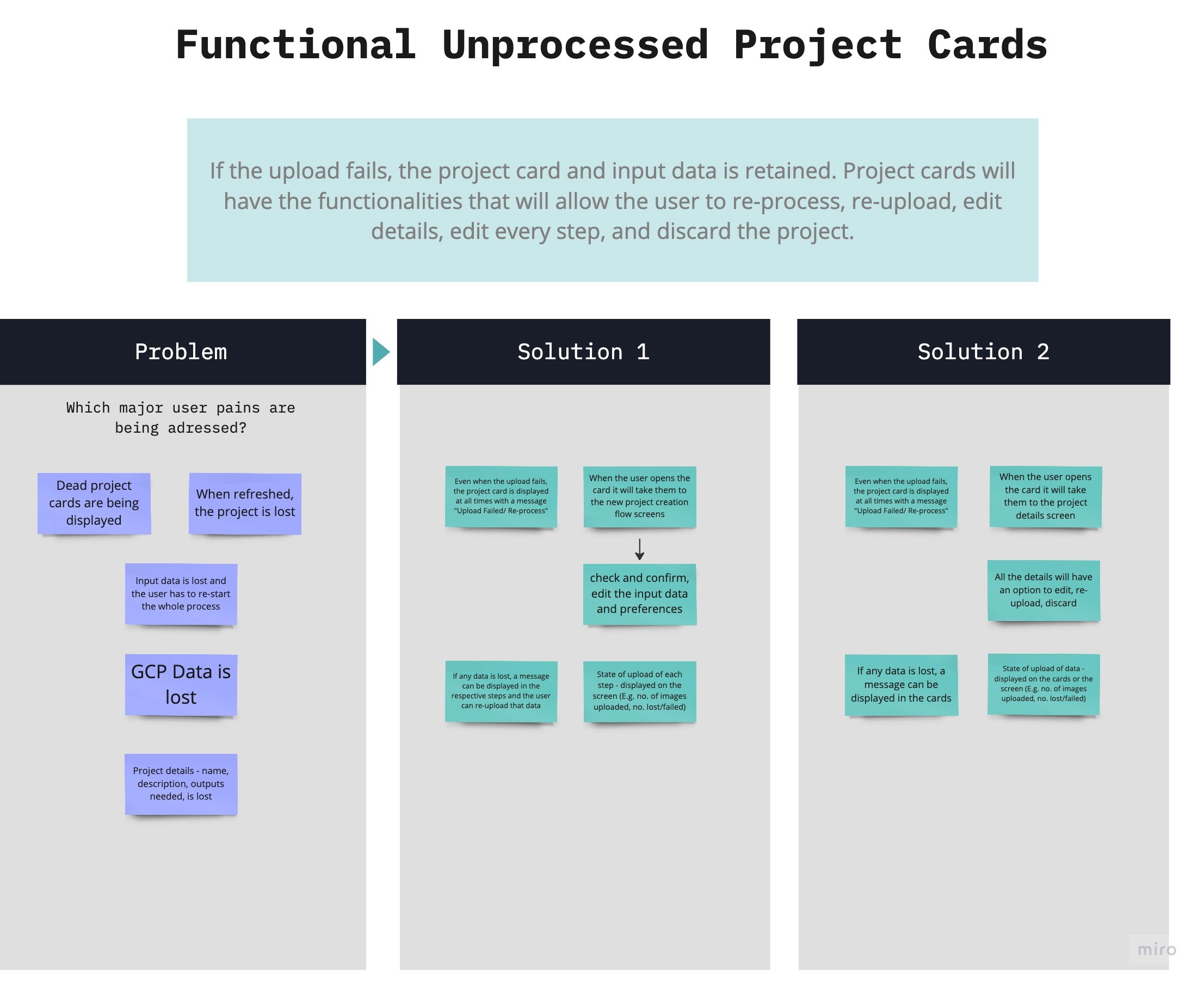
Worked with founders and developers to shape the MVP scope, zeroing in on real user needs and pain points. Focused on features that offered instant value while strategically setting the stage for long-term growth.
Worked with founders and developers to shape the MVP scope, zeroing in on real user needs and pain points. Focused on features that offered instant value while strategically setting the stage for long-term growth.
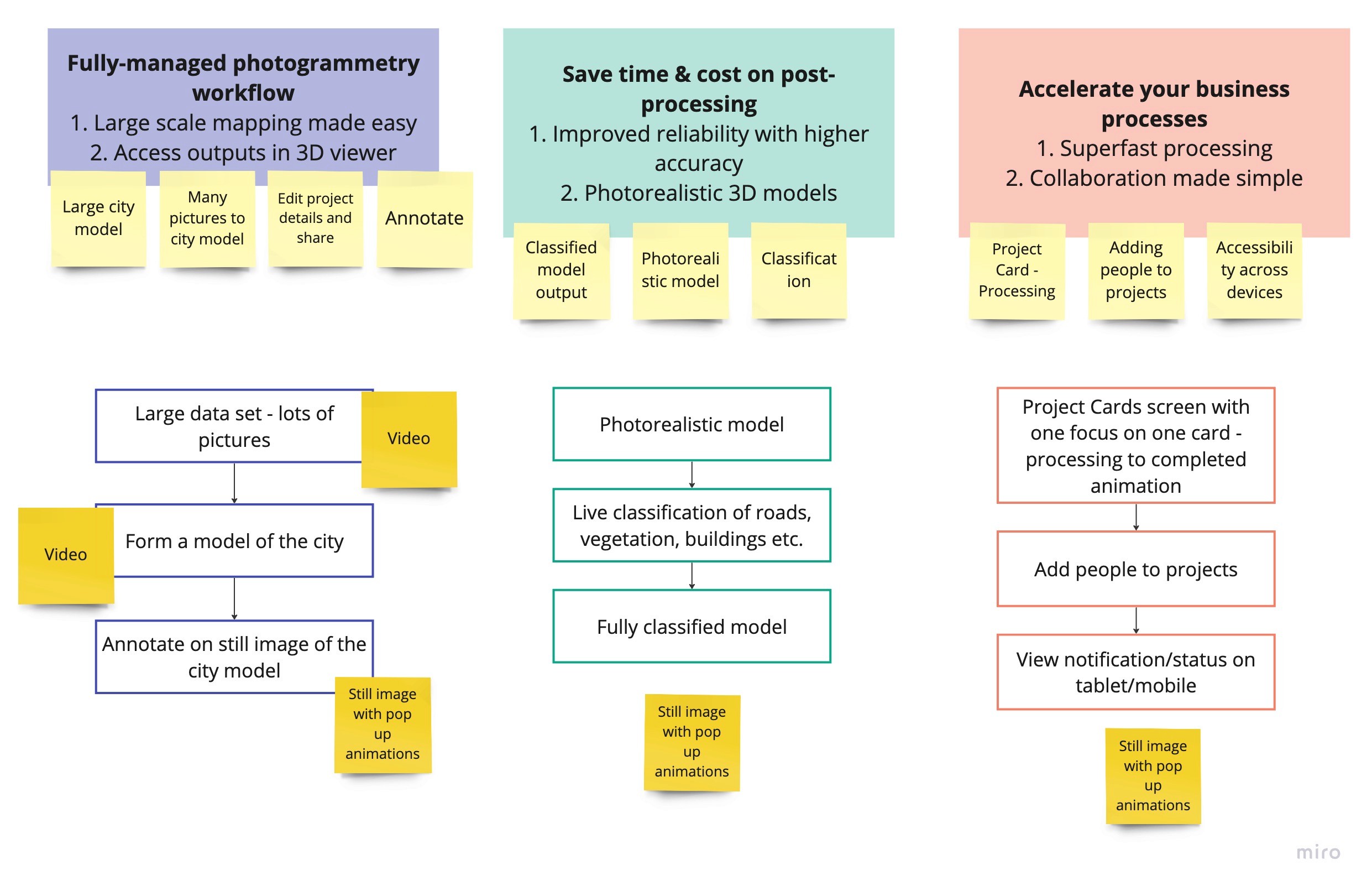
Flows & Wireframing
Flows & Wireframing
Flows & Wireframing
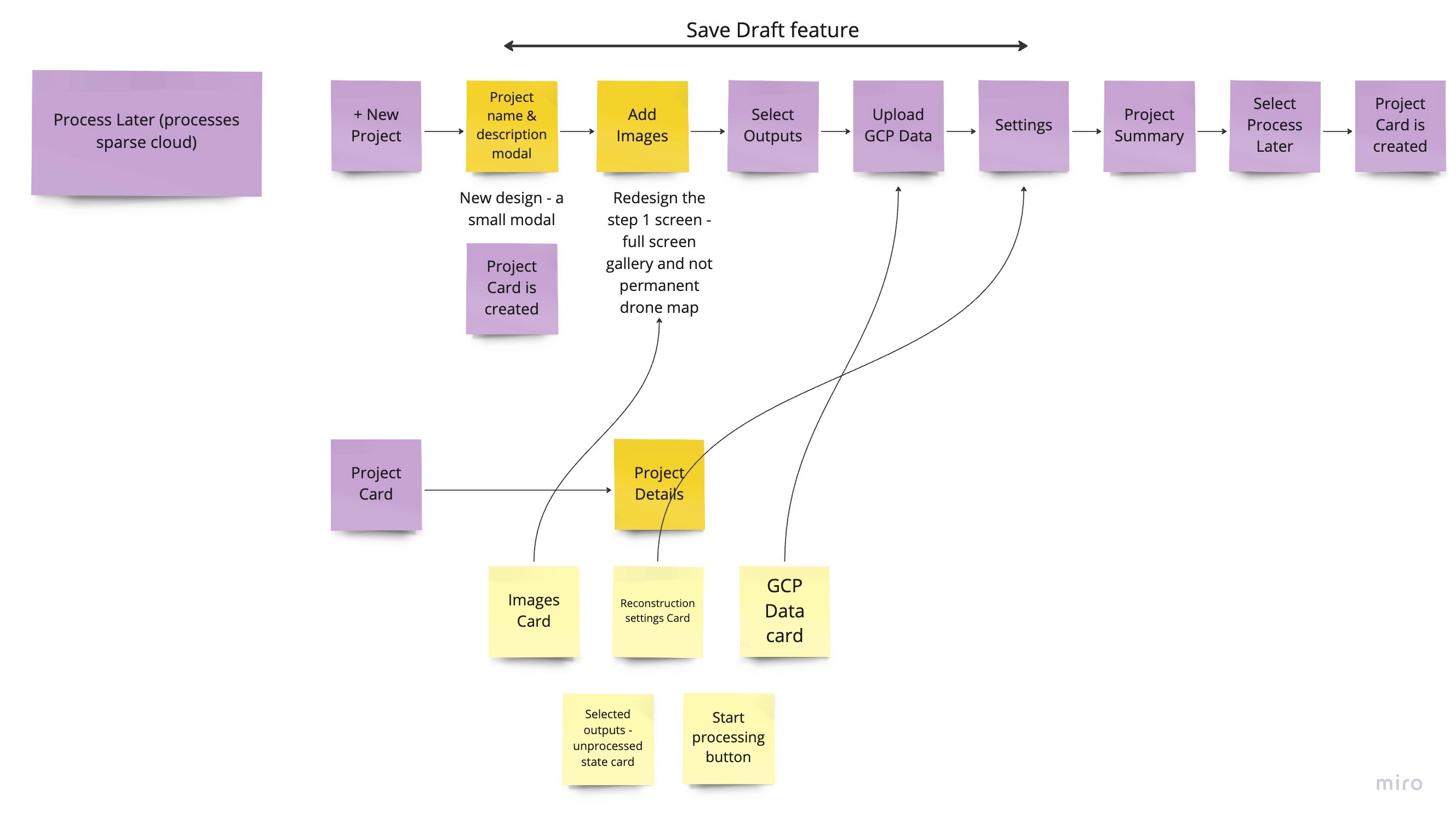
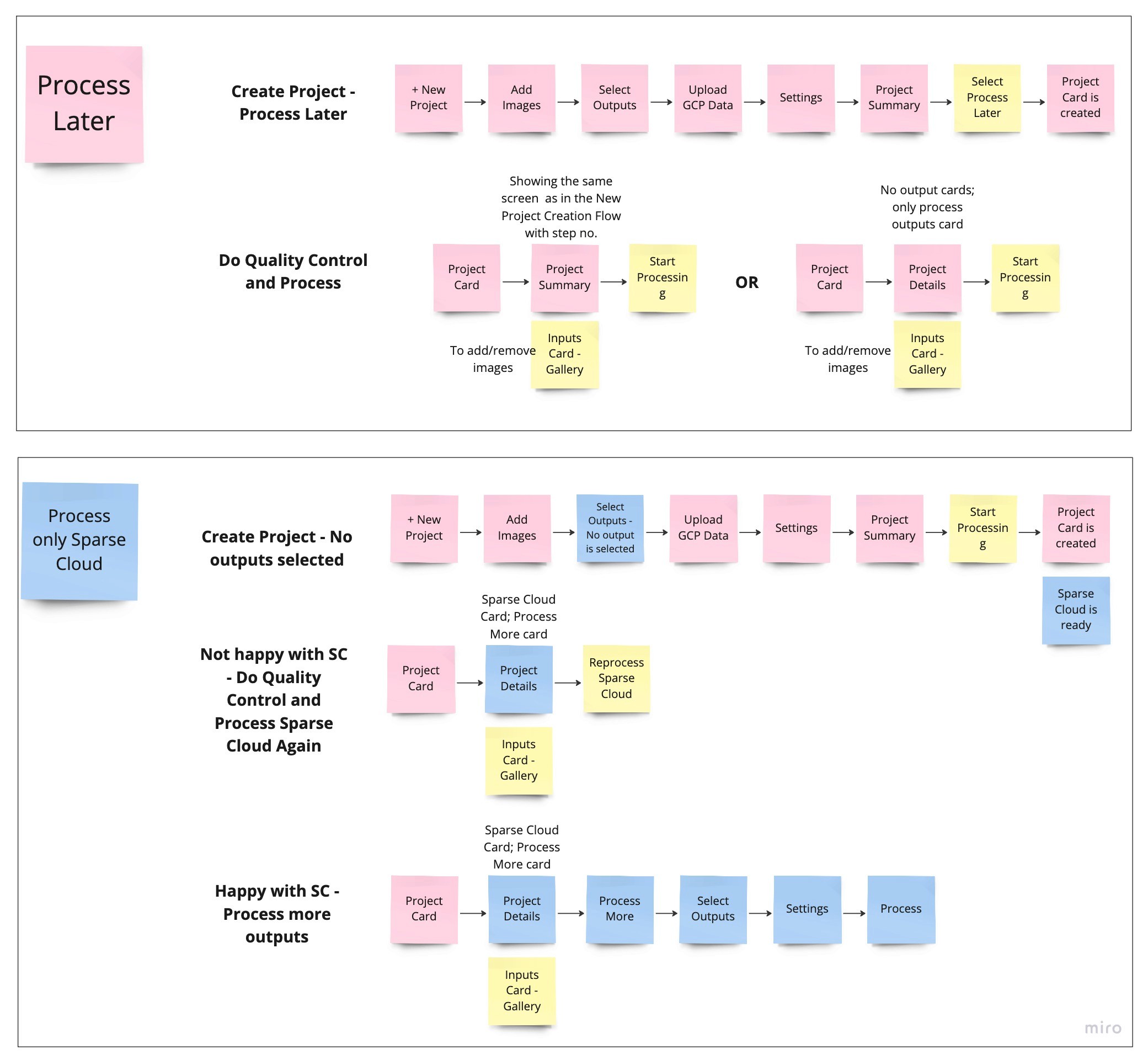
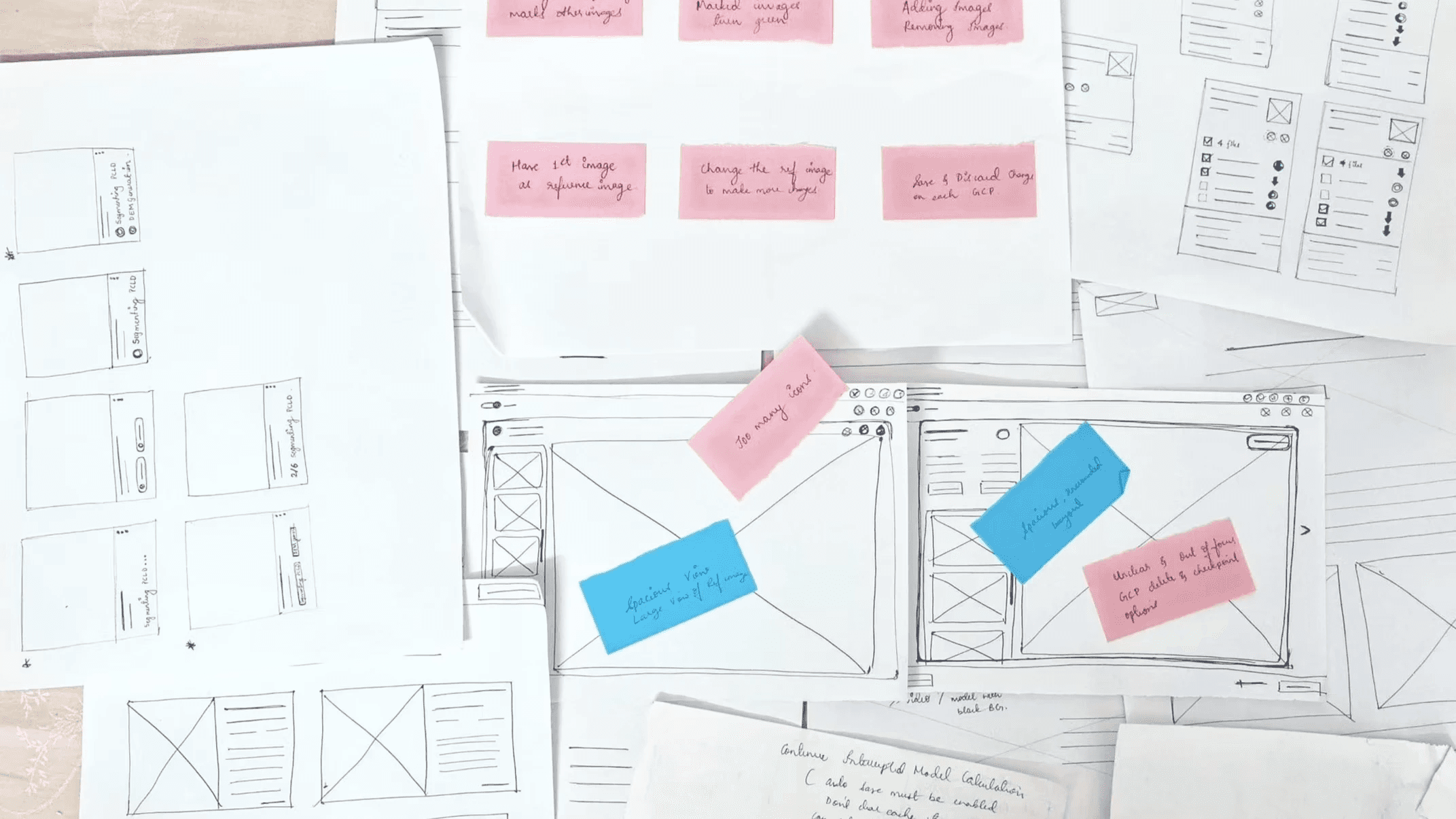
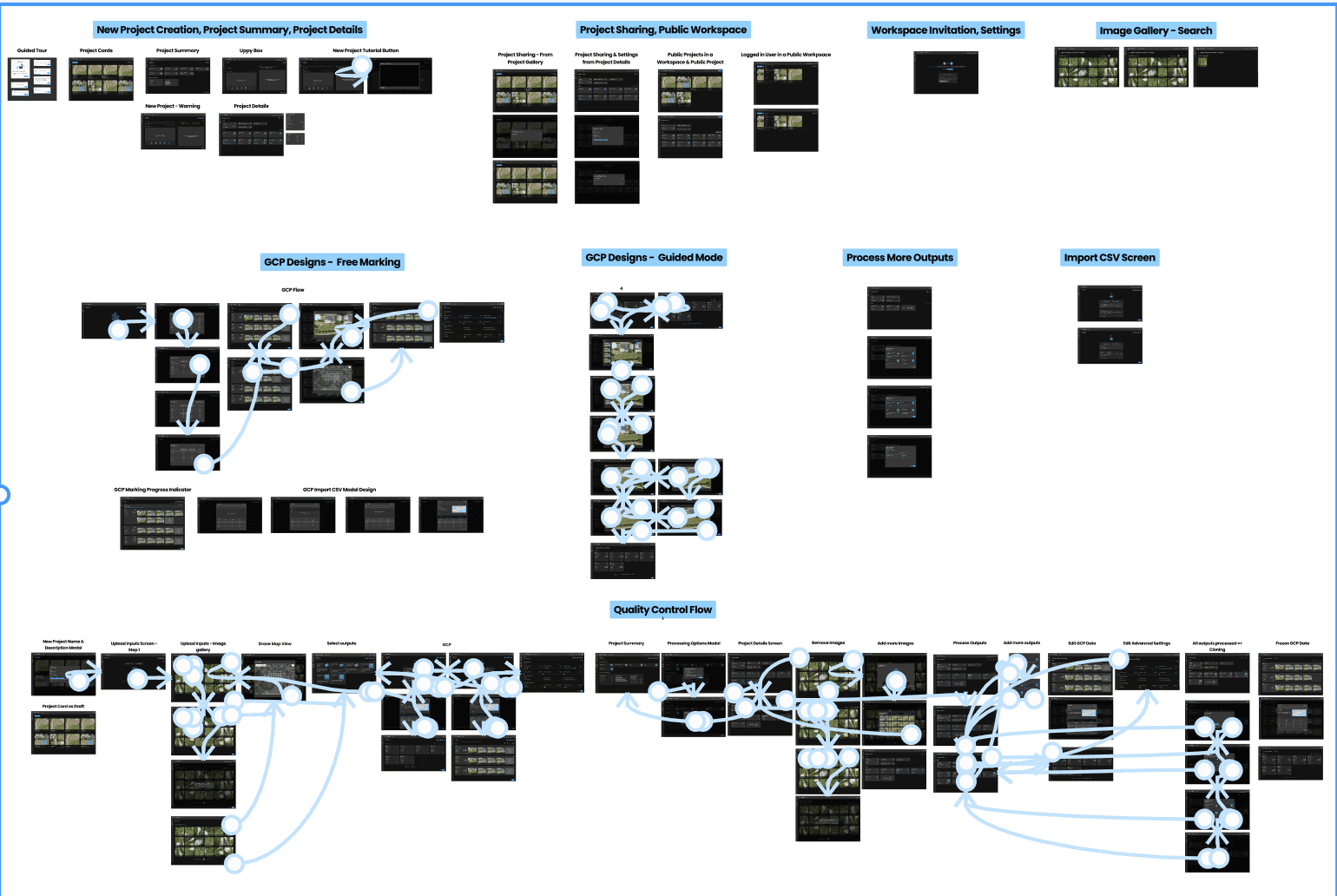
Mapped core flows for project upload, processing, and 3D exploration, shaping journeys for both individuals and teams. Built early wireframes and clickthroughs to validate navigation, then refined them with team feedback and engineering input to create a smoother, more intuitive experience.
Mapped core flows for project upload, processing, and 3D exploration, shaping journeys for both individuals and teams. Built early wireframes and clickthroughs to validate navigation, then refined them with team feedback and engineering input to create a smoother, more intuitive experience.
Prototype Development & Critique Sessions
Prototype Development & Critique Sessions
Prototype Development & Critique Sessions
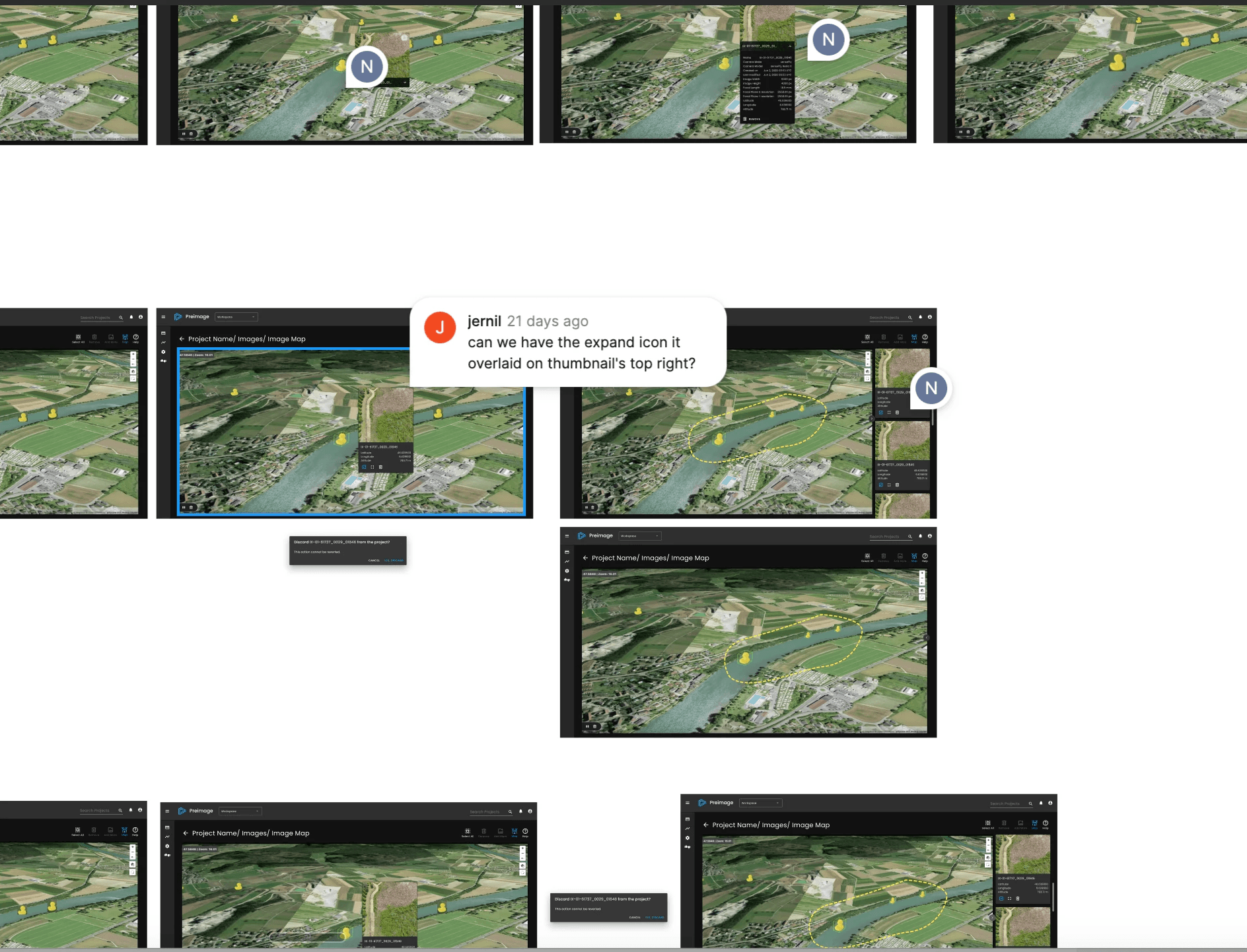
Following thorough research, ideation, and conceptualization phases, I focused on creating high-fidelity designs and prototypes for the project. Collaborating closely with my team, we conducted regular critique sessions and discussions to ensure a good user experience. This iterative approach allowed us to fine-tune the designs, address potential issues, and refine the overall usability of the platform, ultimately leading to an exceptional product tailored to our target audience, the GIS Professionals.
Following thorough research, ideation, and conceptualization phases, I focused on creating high-fidelity designs and prototypes for the project. Collaborating closely with my team, we conducted regular critique sessions and discussions to ensure a good user experience. This iterative approach allowed us to fine-tune the designs, address potential issues, and refine the overall usability of the platform, ultimately leading to an exceptional product tailored to our target audience, the GIS Professionals.
Usability Testing
Usability Testing
Usability Testing
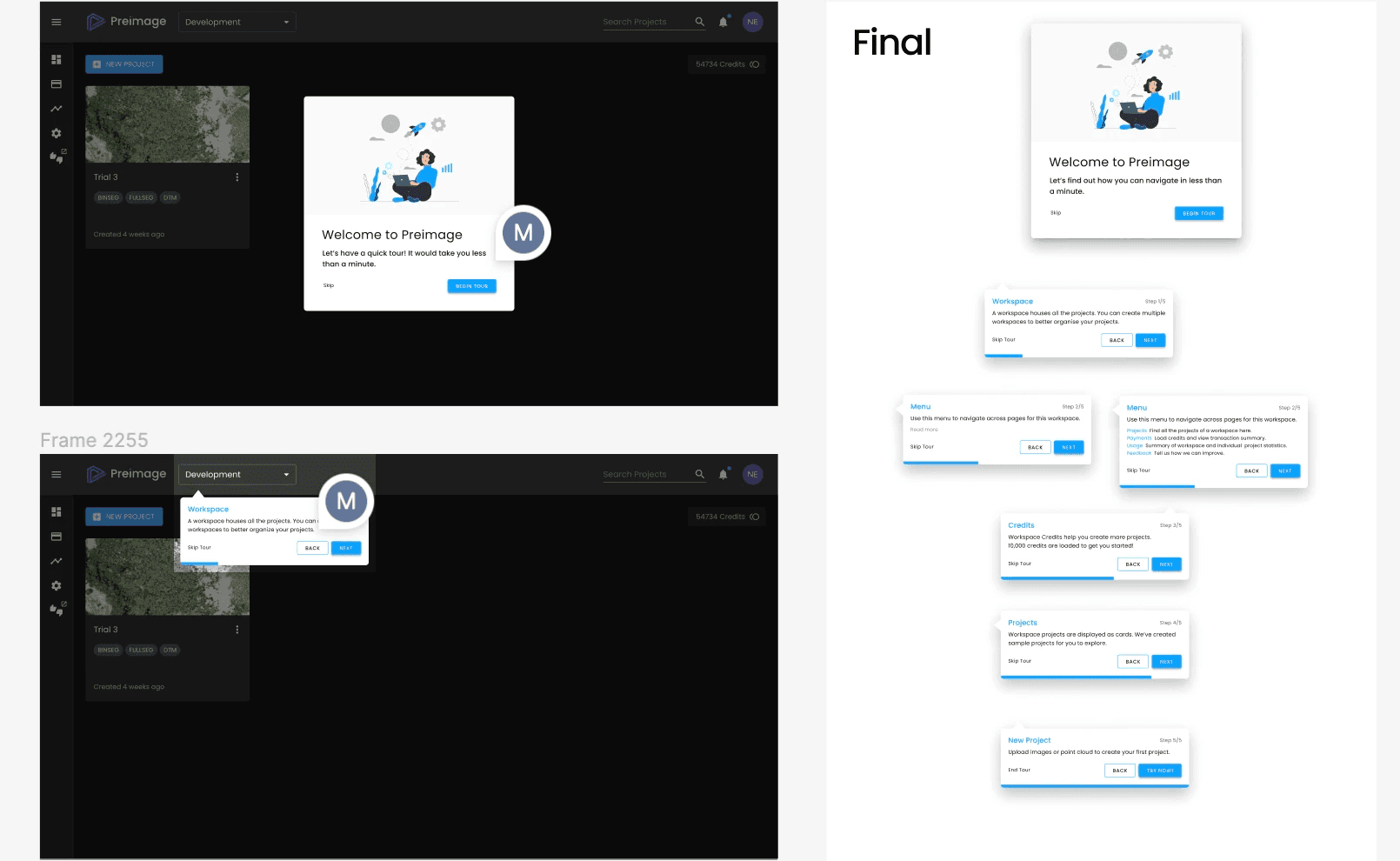
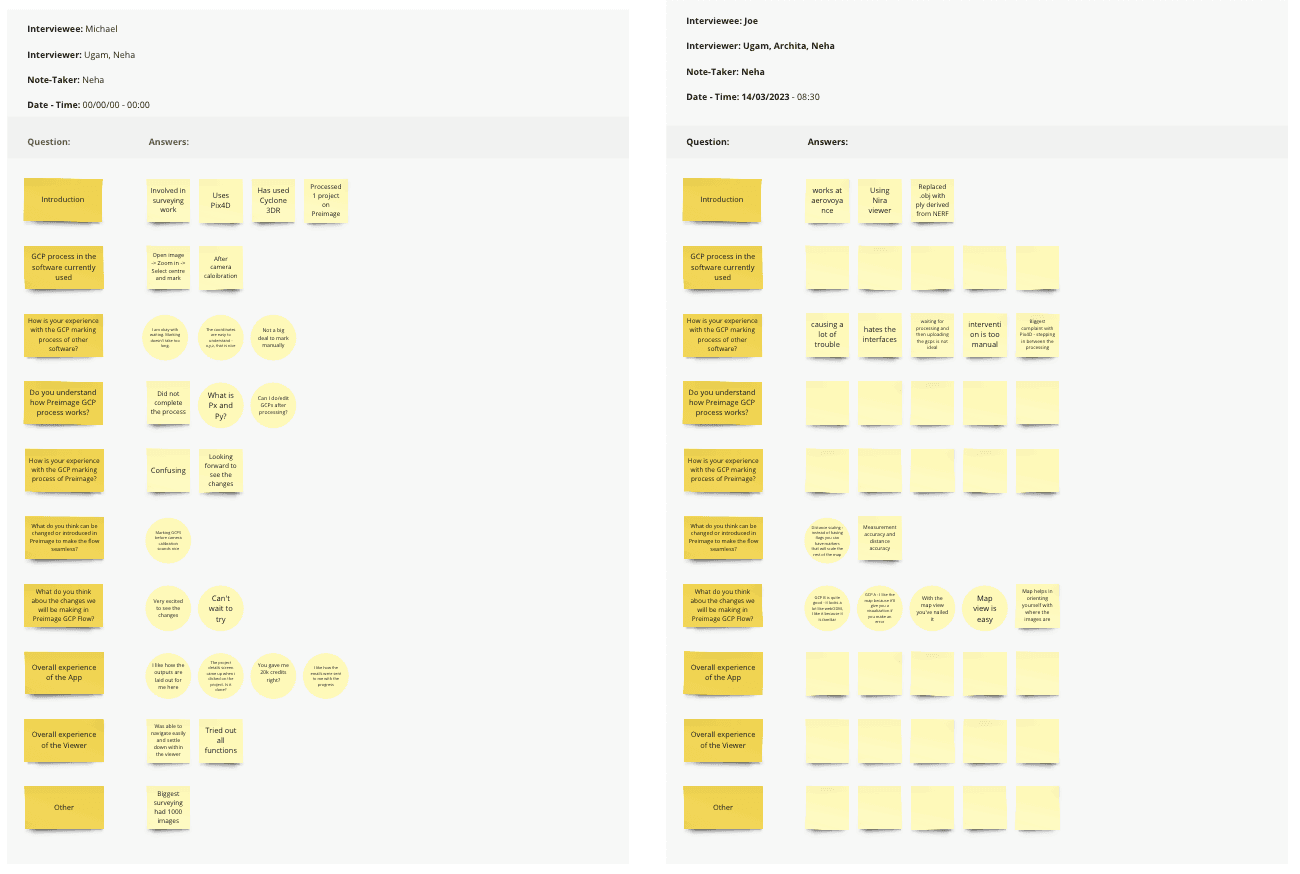
Ran remote tests to spot friction points and validate viewer tools with both expert and novice users, then refined layouts based on feedback and development feasibility.
Ran remote tests to spot friction points and validate viewer tools with both expert and novice users, then refined layouts based on feedback and development feasibility.
MVP Designs - Responsive Web App
MVP Designs - Responsive Web App
MVP Designs - Responsive Web App
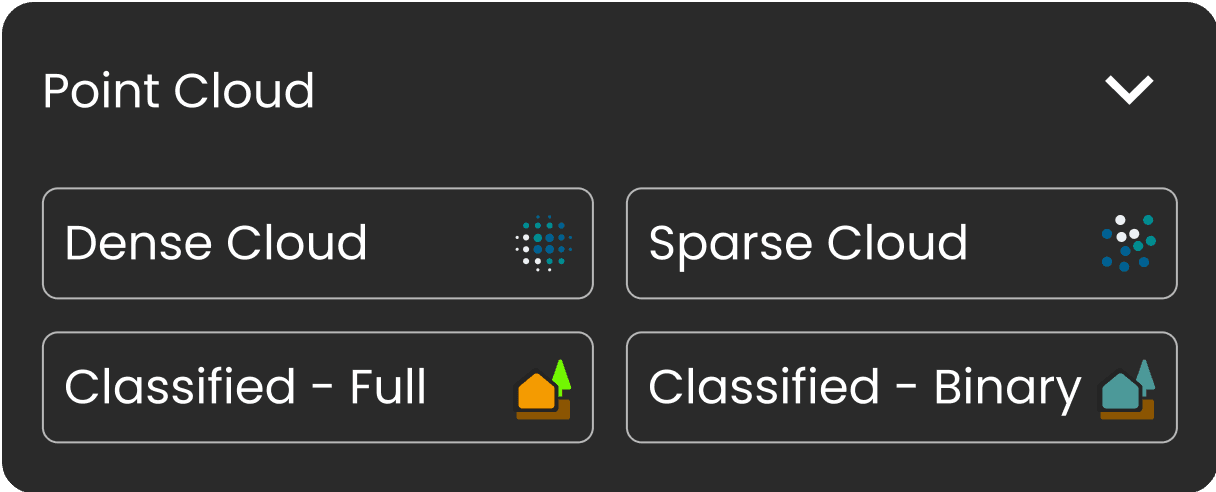
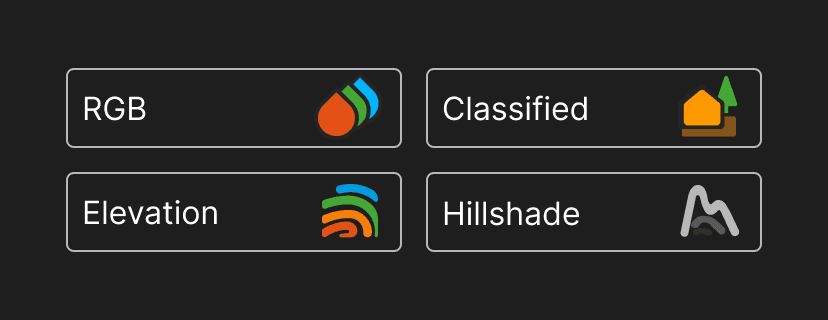
Preimage responsive web app is designed to process images and point clouds, generating and viewing various outputs like Sparse Cloud, Dense Cloud, Fully Classified Point Cloud, Binary Classified Point Cloud, DEM, DTM, and Orthomosaic.
Preimage responsive web app is designed to process images and point clouds, generating and viewing various outputs like Sparse Cloud, Dense Cloud, Fully Classified Point Cloud, Binary Classified Point Cloud, DEM, DTM, and Orthomosaic.
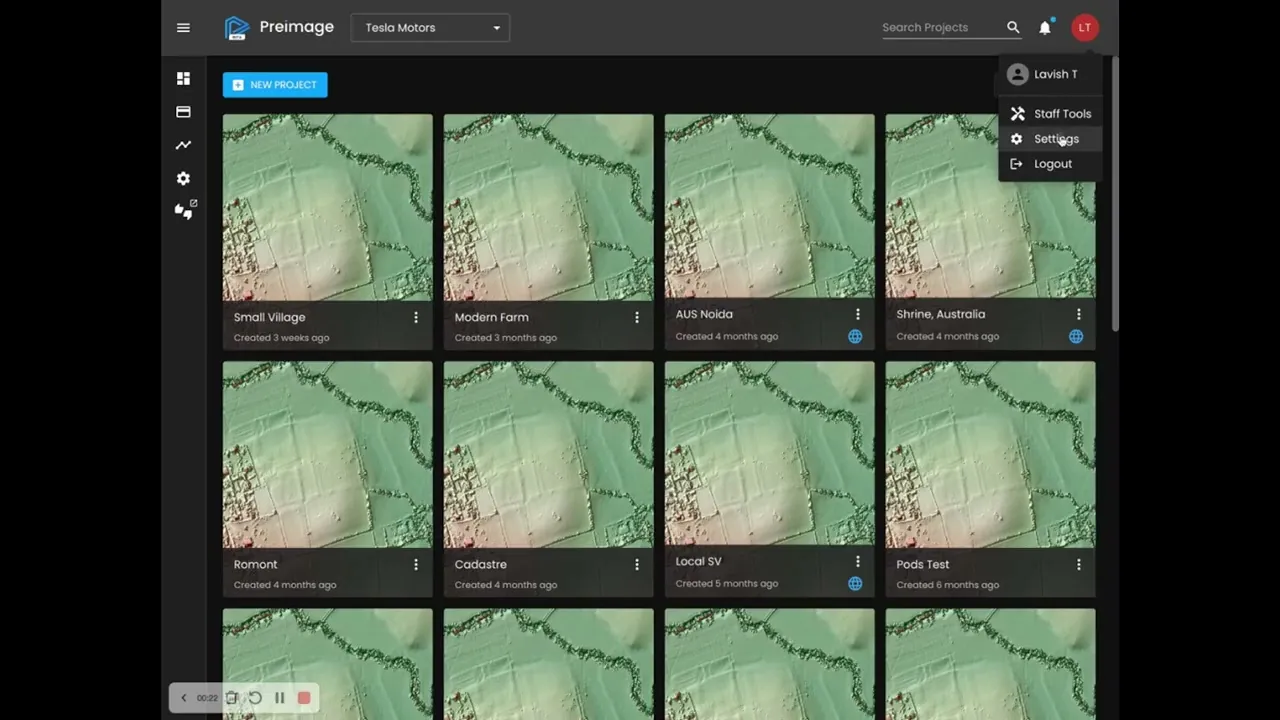
Users can create workspaces to organize their projects, and there's no limit on the number of projects or workspaces they can have as long as they have purchased the necessary credits.
Users can create workspaces to organize their projects, and there's no limit on the number of projects or workspaces they can have as long as they have purchased the necessary credits.
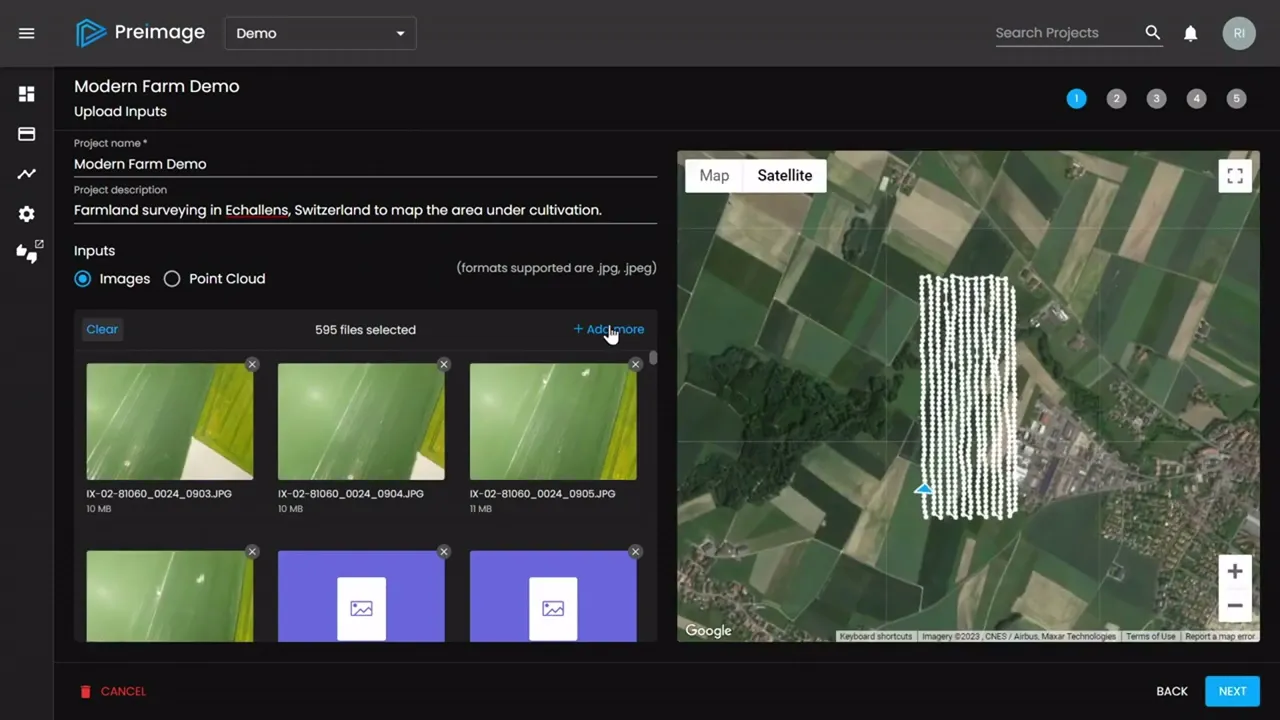
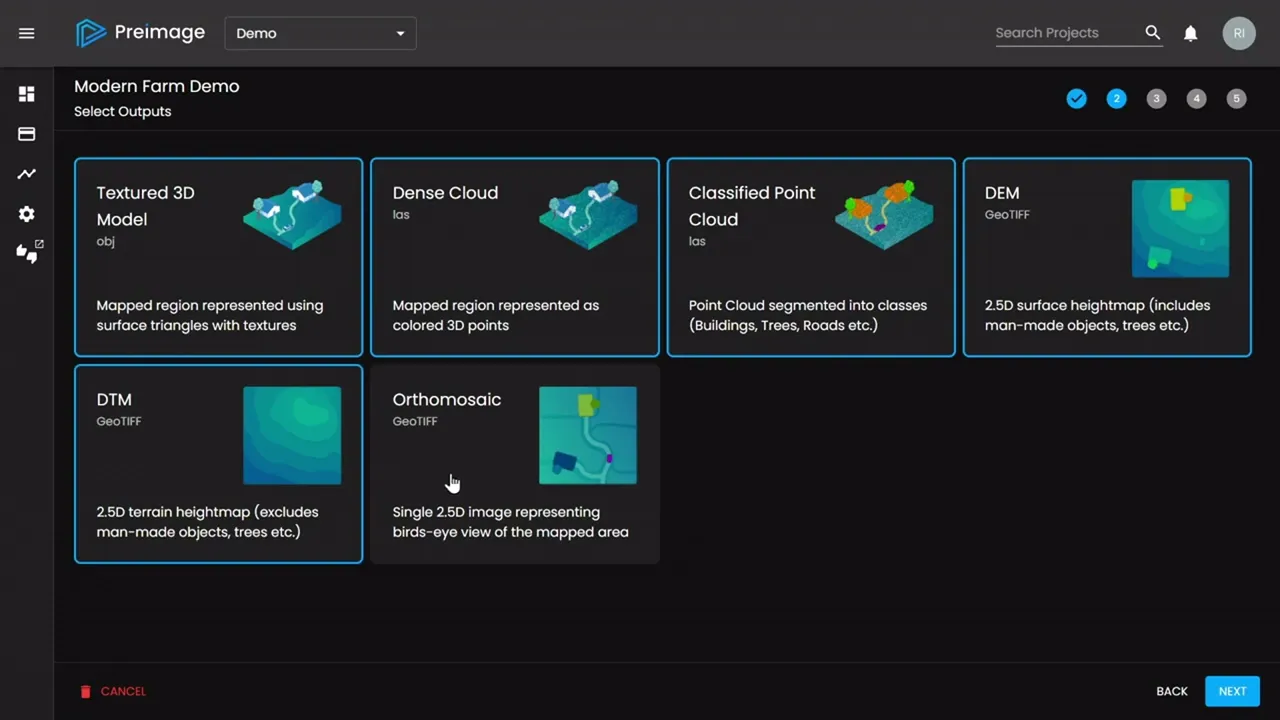
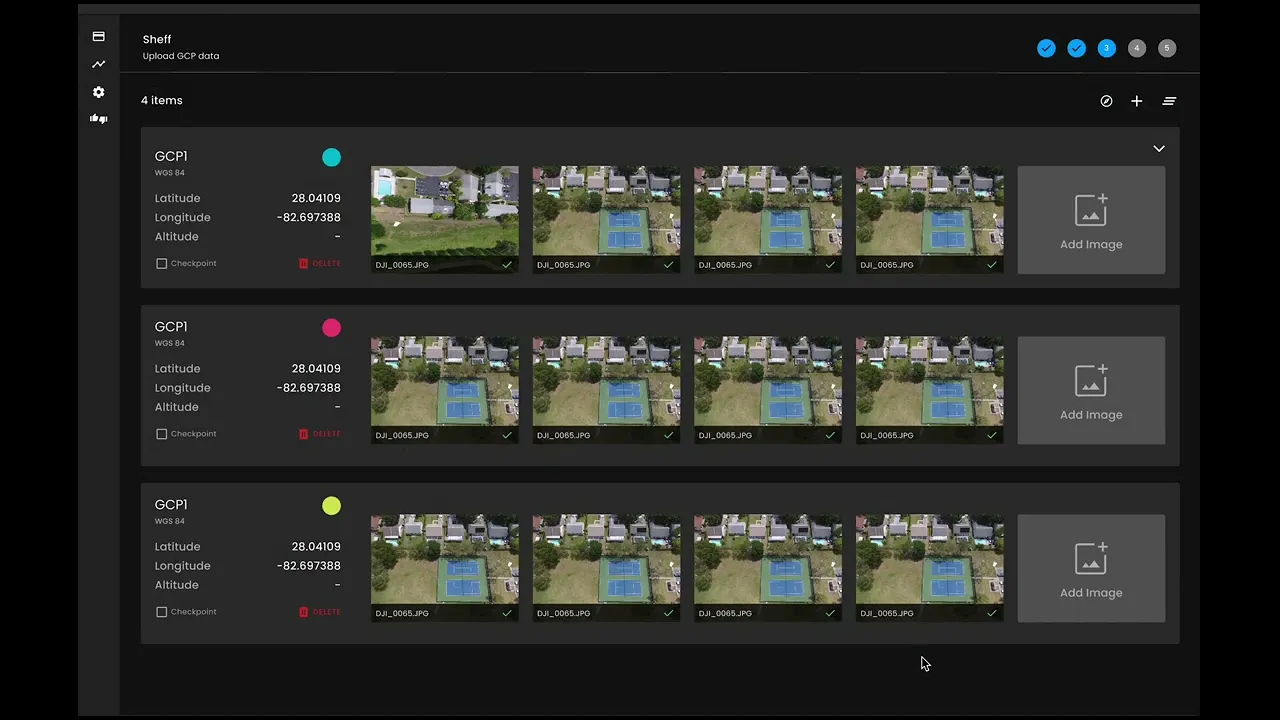
The project creation flow consists of 5 main steps: uploading inputs, selecting desired outputs, importing CSV files and marking GCPs (Ground Control Points), and configuring reconstruction settings.
The project creation flow consists of 5 main steps: uploading inputs, selecting desired outputs, importing CSV files and marking GCPs (Ground Control Points), and configuring reconstruction settings.
Once a project is created, users have the option to process additional outputs, view inputs, and access a quality report.
Once a project is created, users have the option to process additional outputs, view inputs, and access a quality report.
Users can also collaborate by adding others to their workspace as readers or editors. Furthermore, projects can be individually shared or made public for everyone to access.
Users can also collaborate by adding others to their workspace as readers or editors. Furthermore, projects can be individually shared or made public for everyone to access.
Step 1: Upload Inputs
Step 1: Upload Inputs
Step 2: Select Outputs
Step 2: Select Outputs
Step 3: GCP Free Marking
Step 3: GCP Free Marking
Step 4: Reconstruction Settings
Step 4: Reconstruction Settings
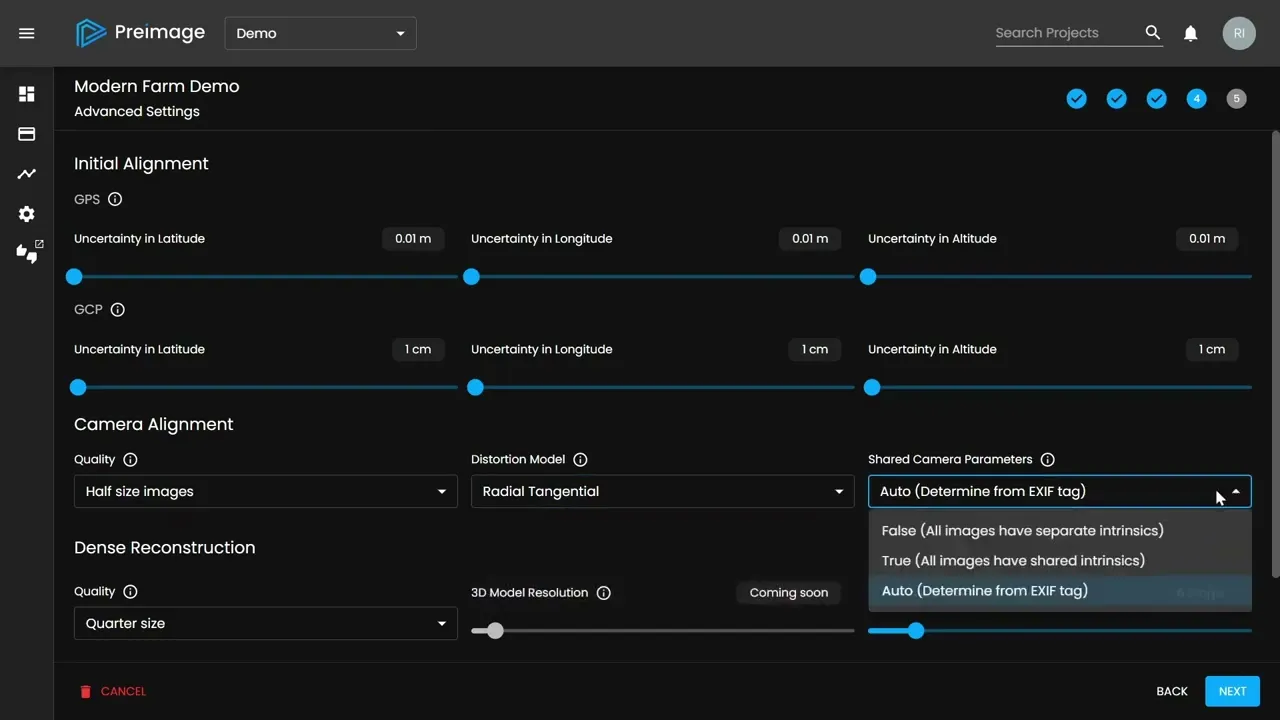
Step 5: Project Uploaded!
Step 5: Project Uploaded!
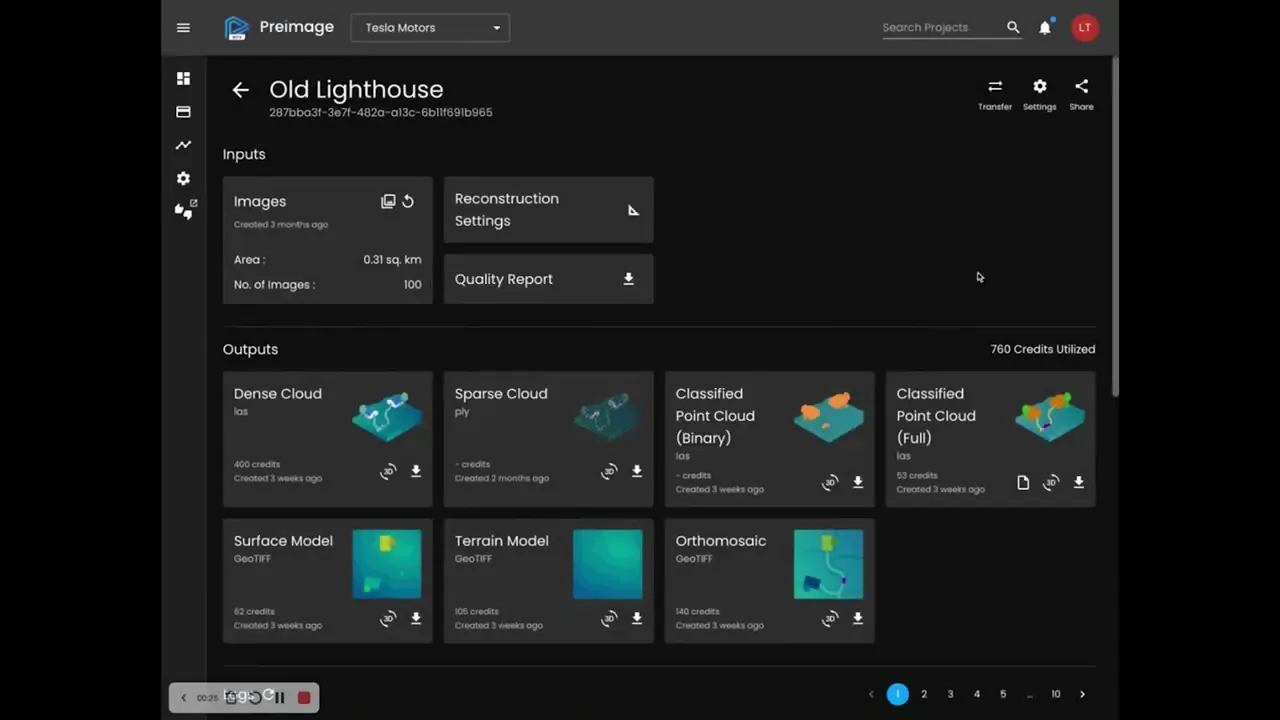
Overall App Experience
Overall App Experience
MVP Designs - Viewer
MVP Designs - Viewer
MVP Designs - Viewer
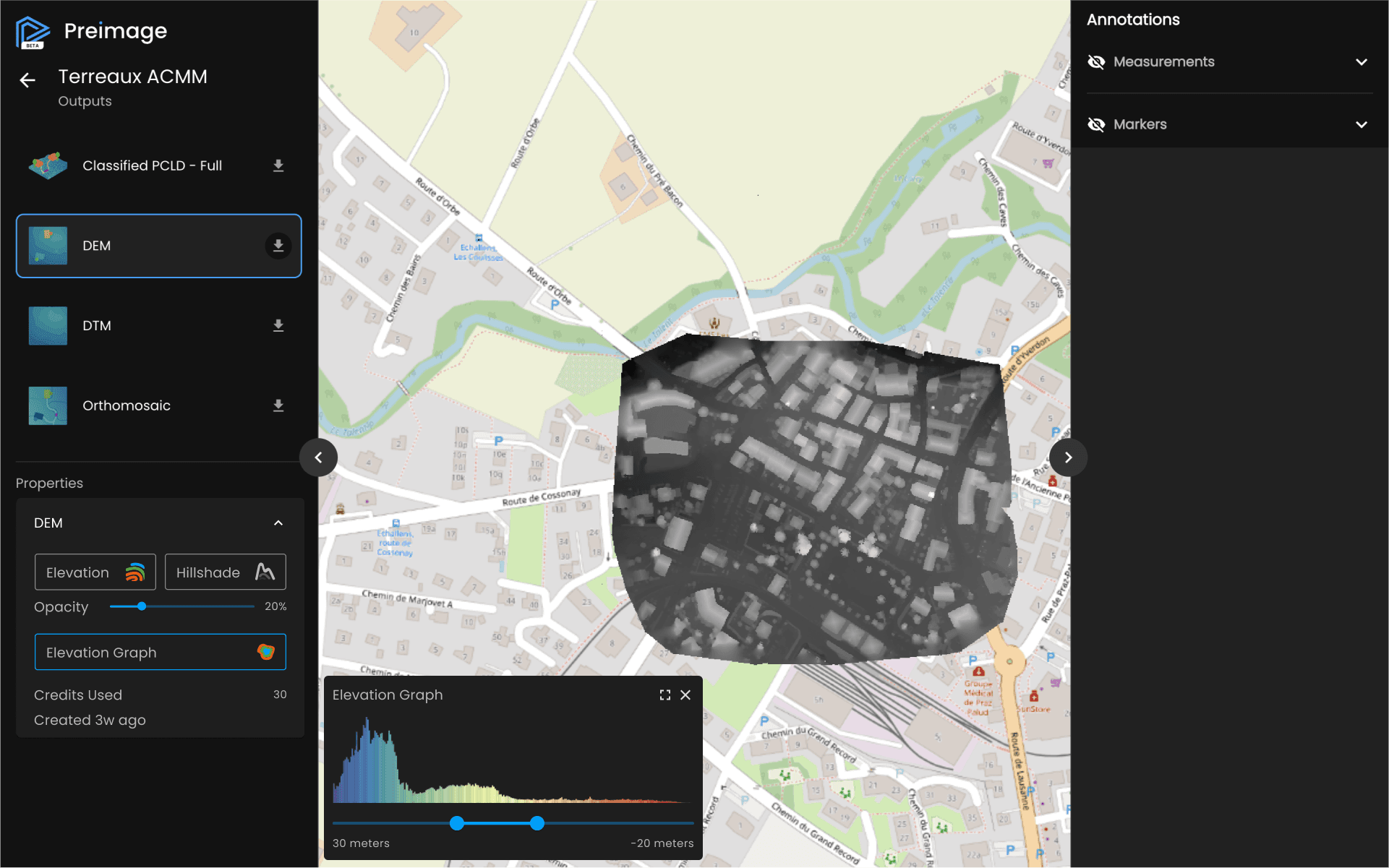
The Preimage Viewer complements the web app by allowing users to view the point cloud and raster outputs processed through it. The interface provides a seamless way to view these visual representations.
Users have the option to download all the outputs for their convenience.
In addition to viewing, the Viewer also offers various interactive features. Users can place markers and annotations on the outputs, enabling better communication and organization.
They can categorize the outputs to facilitate efficient management.
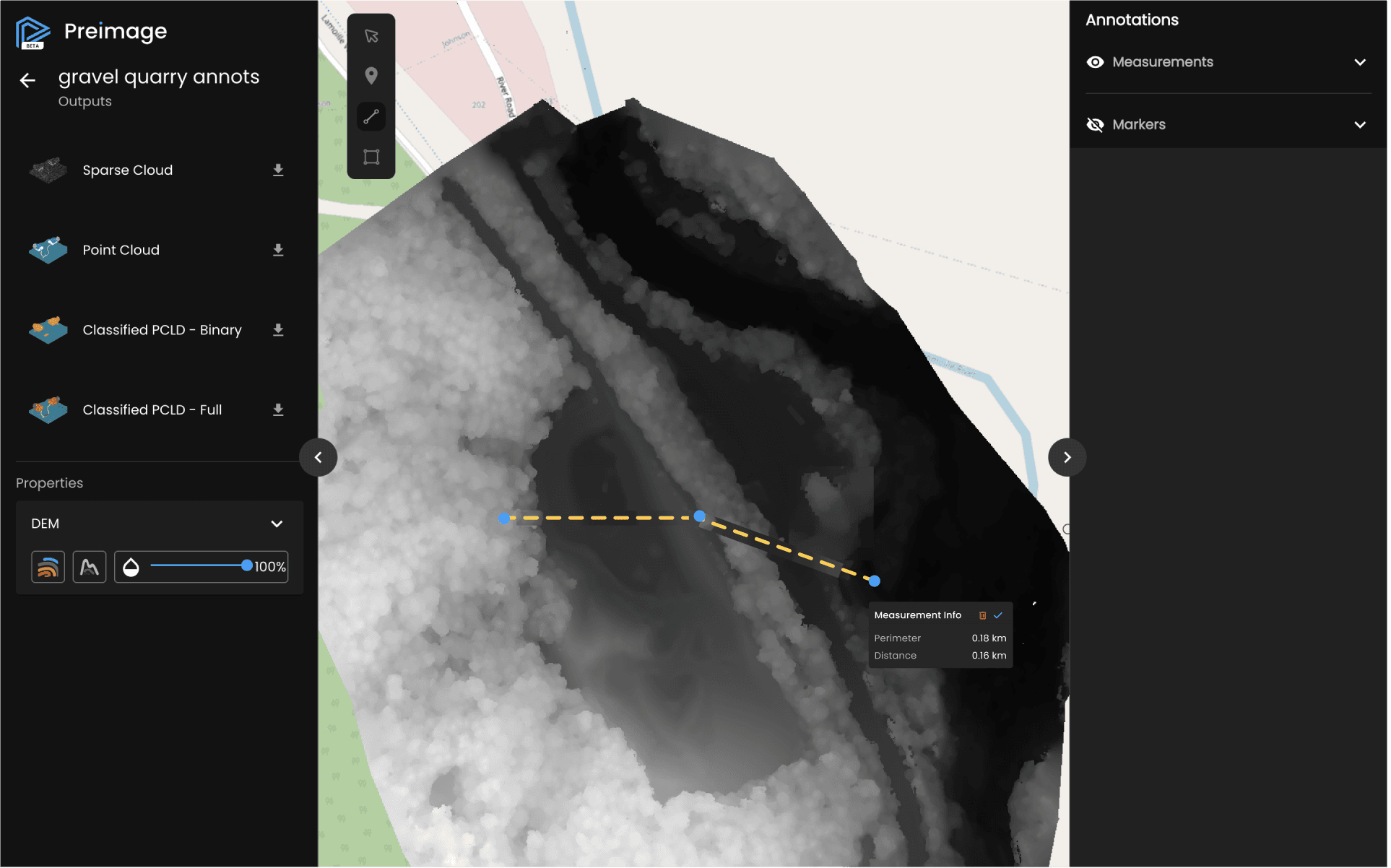
For more in-depth analysis, the Viewer allows users to make measurements such as lines, areas, and volumes. Furthermore, it provides an elevation graph and elevation profile of lines, offering valuable insights into the terrain's elevation data.
The Preimage Viewer complements the web app by allowing users to view the point cloud and raster outputs processed through it. The interface provides a seamless way to view these visual representations.
Users have the option to download all the outputs for their convenience.
In addition to viewing, the Viewer also offers various interactive features. Users can place markers and annotations on the outputs, enabling better communication and organization.
They can categorize the outputs to facilitate efficient management.
For more in-depth analysis, the Viewer allows users to make measurements such as lines, areas, and volumes. Furthermore, it provides an elevation graph and elevation profile of lines, offering valuable insights into the terrain's elevation data.
Elevation Graph of Raster Outputs
Elevation Graph of Raster Outputs
Elevation Profile of Line Annotation
Elevation Profile of Line Annotation
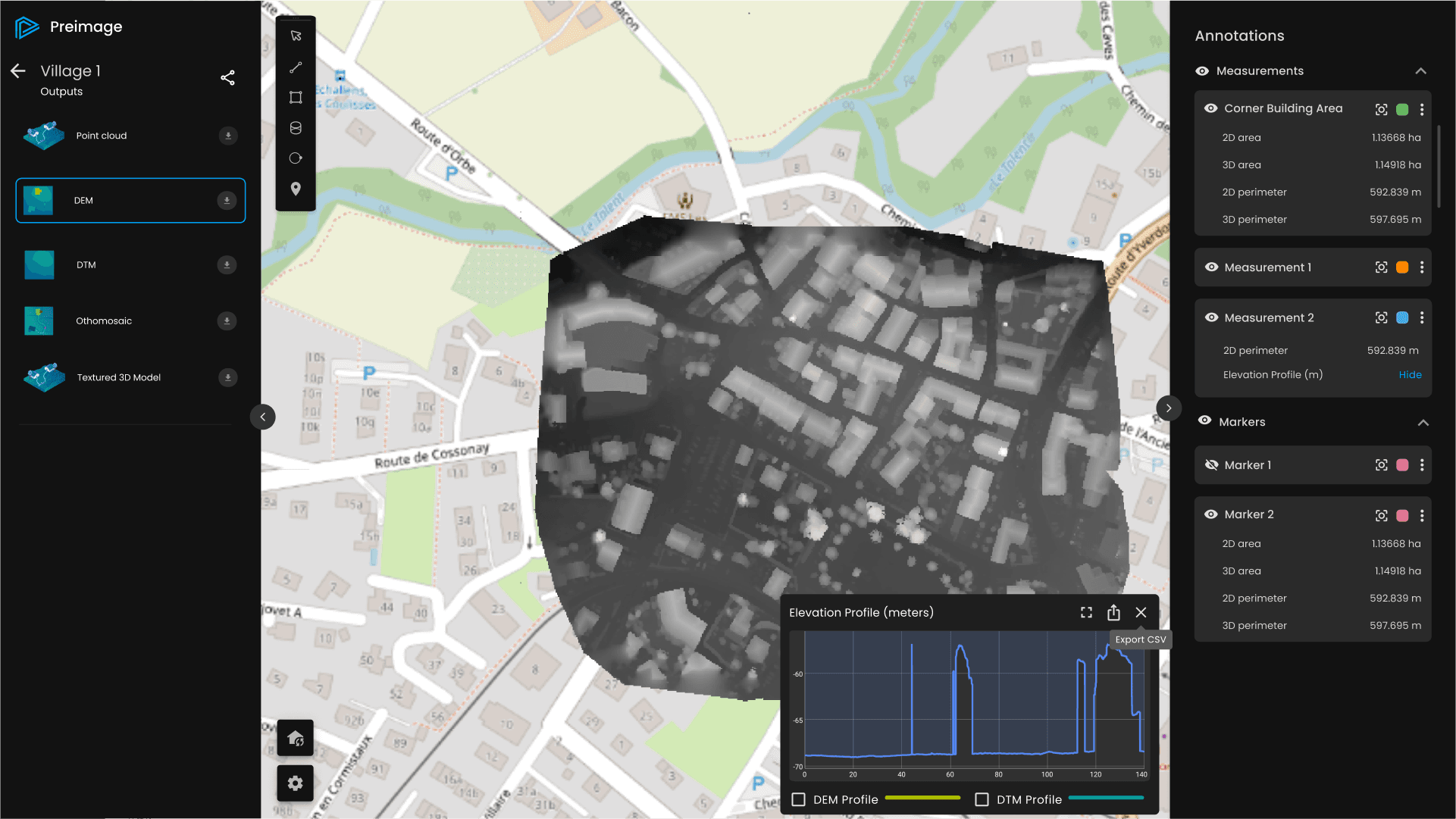
Line Tool for Measurement/Annotations
Line Tool for Measurement/Annotations
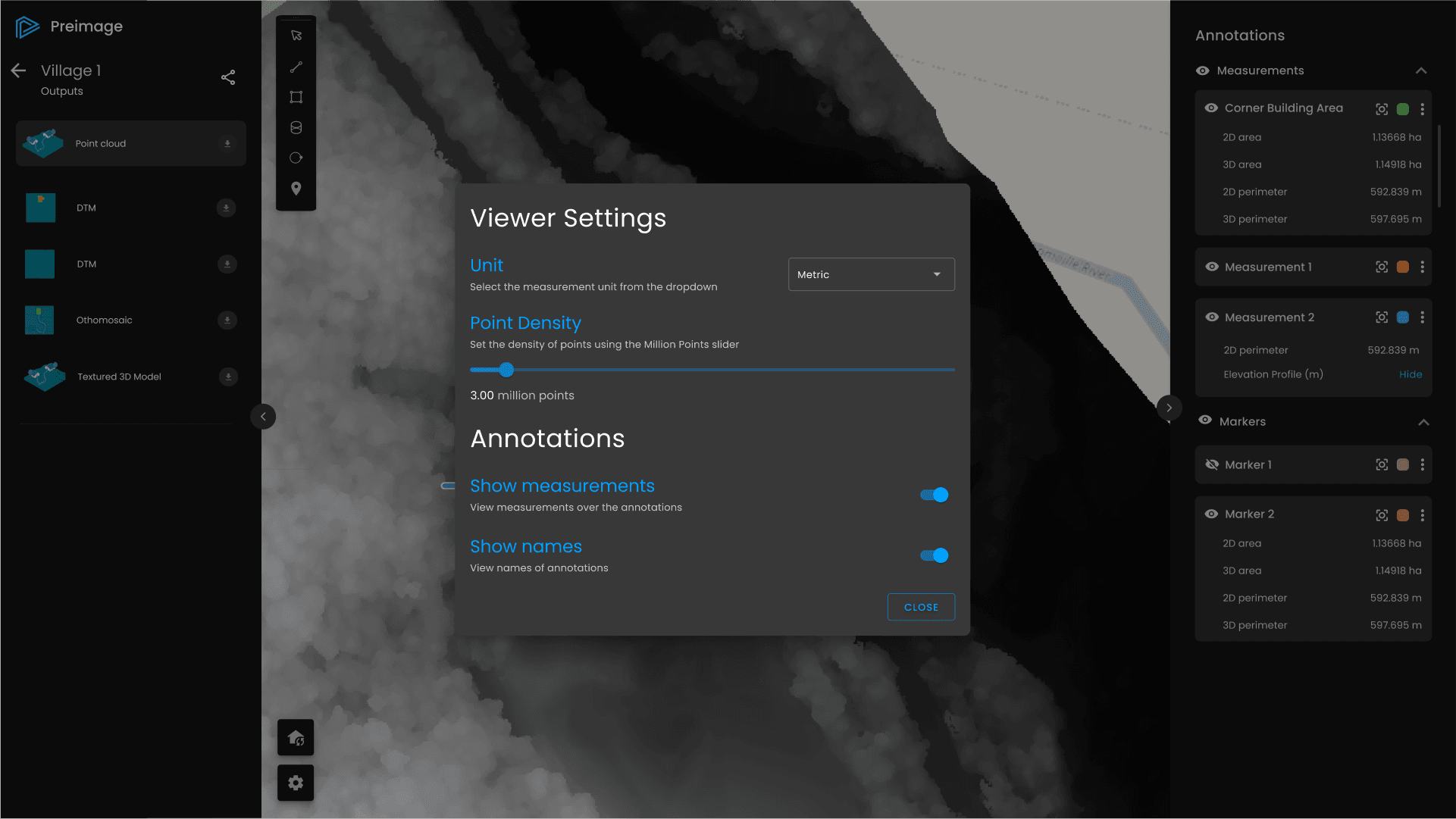
Viewer Settings Modal
Viewer Settings Modal
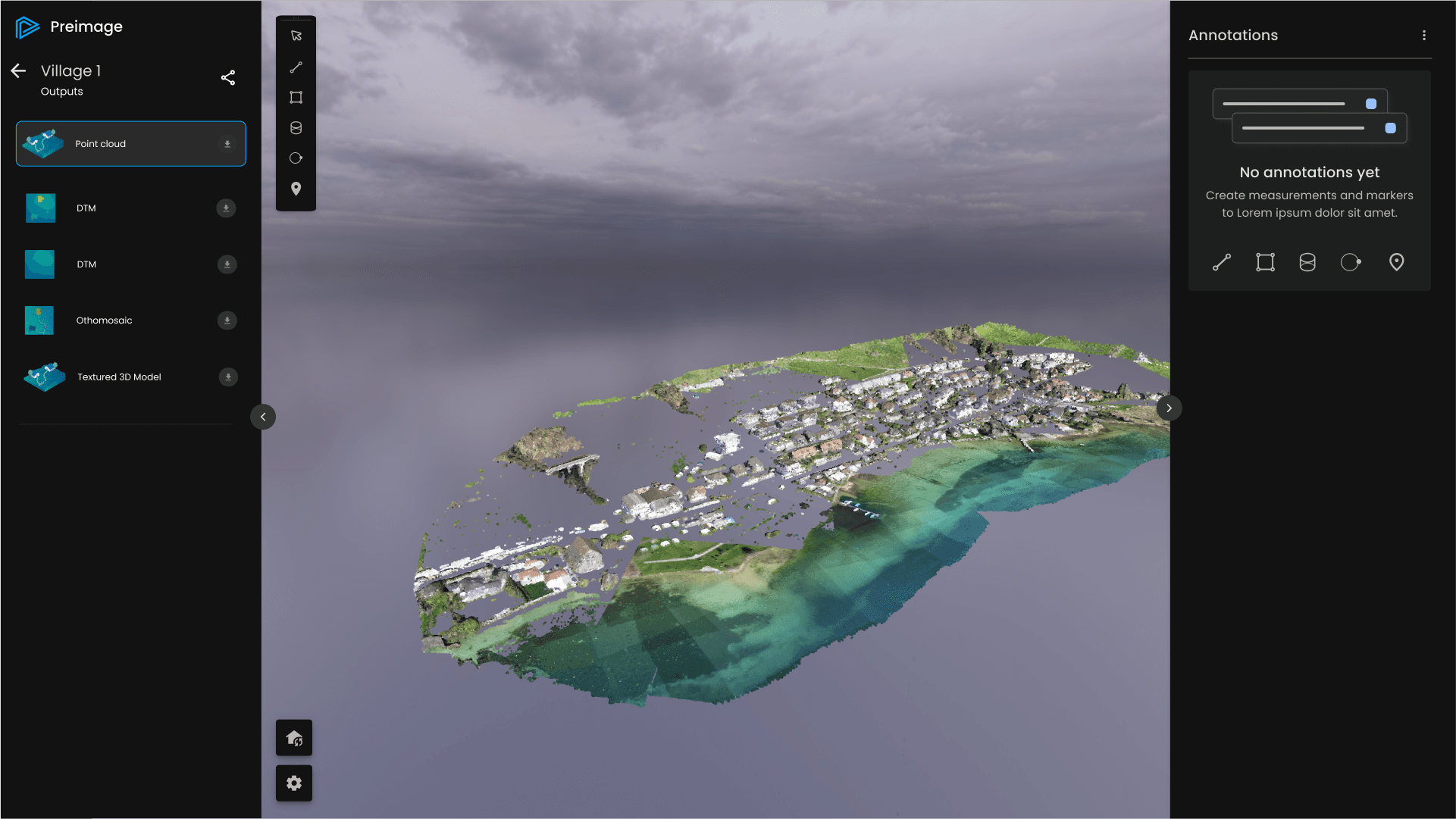
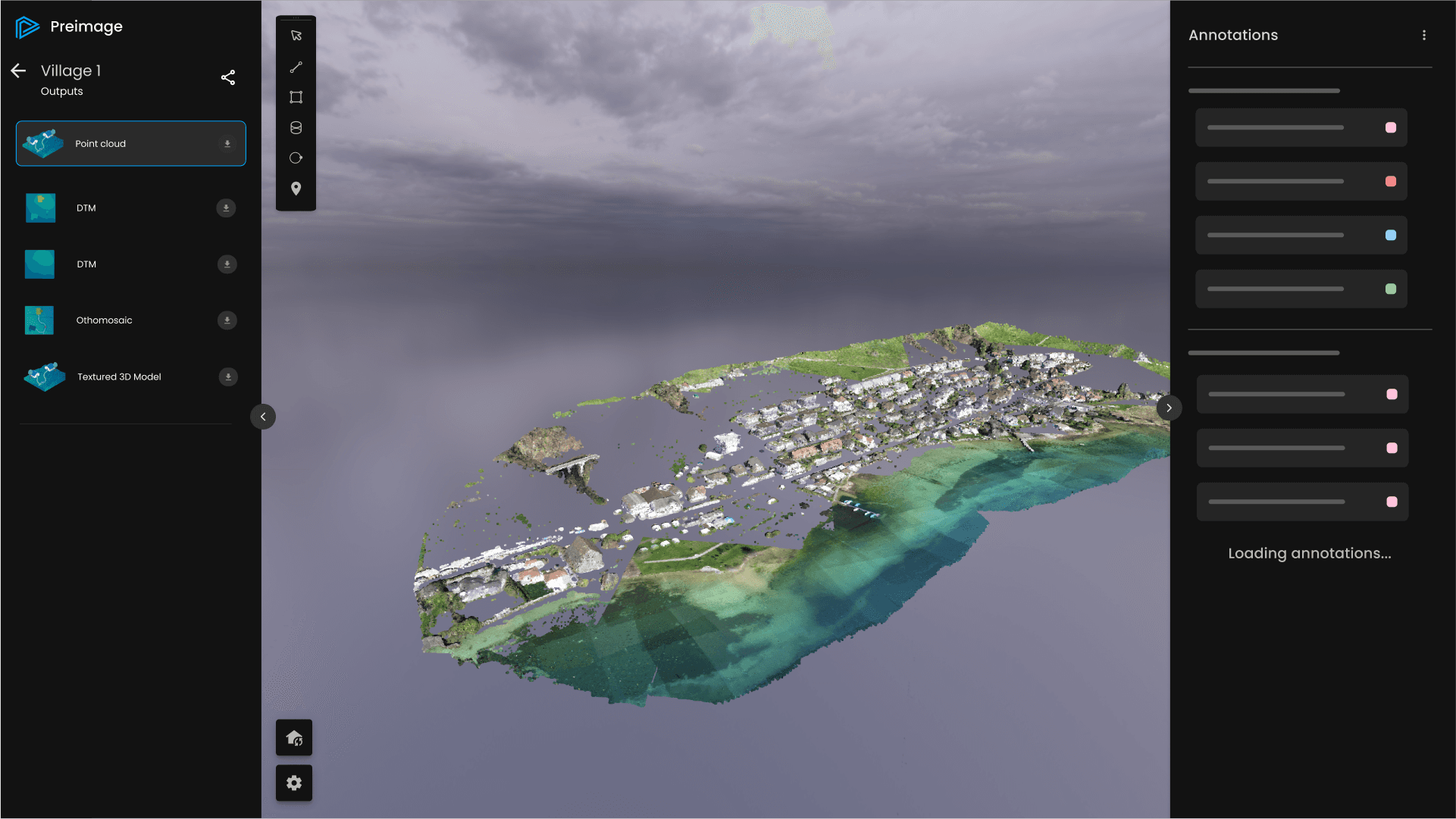
Empty State & Loading State of Annotations Panel
Empty State & Loading State of Annotations Panel
Point Cloud Outputs Menu; Icons and Button Designs for Raster Output Options
Point Cloud Outputs Menu; Icons and Button Designs for Raster Output Options
Preimage - Website
Preimage - Website
Preimage - Website
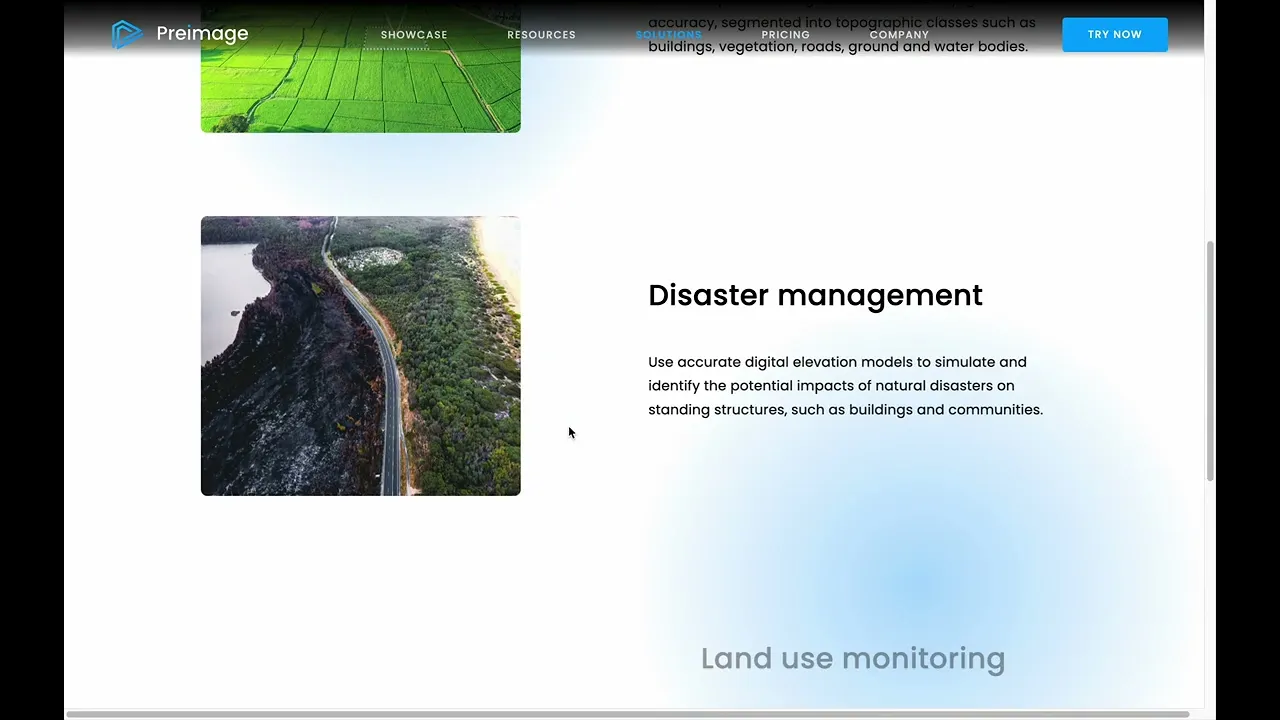
The Preimage.ai website was designed as both a storytelling and resource hub, highlighting the mission, technology, and team while offering clear pathways for users to learn, explore, and sign up. Content was structured across blogs, white papers, FAQs, and use cases, making it easy for customers to understand Preimage’s value and diverse applications in 3D reconstruction. Strategic design and UI hierarchy ensured a seamless flow from discovery to engagement.
The Preimage.ai website was designed as both a storytelling and resource hub, highlighting the mission, technology, and team while offering clear pathways for users to learn, explore, and sign up. Content was structured across blogs, white papers, FAQs, and use cases, making it easy for customers to understand Preimage’s value and diverse applications in 3D reconstruction. Strategic design and UI hierarchy ensured a seamless flow from discovery to engagement.